
Key Takeaways:
- It’s a good idea to upgrade Magento 2 to keep your store safe, fast, and ready for the future. Regular updates keep your business safe, help you sell more, and make it stand out in the crowded world of online shopping.
- How complicated your store is and how experienced your team is will determine the best way to upgrade it. If your business has a lot of custom features and integrations, you should hire someone to upgrade Magento. On the other hand, smaller stores might be able to do patch updates or regular version upgrades on their own.
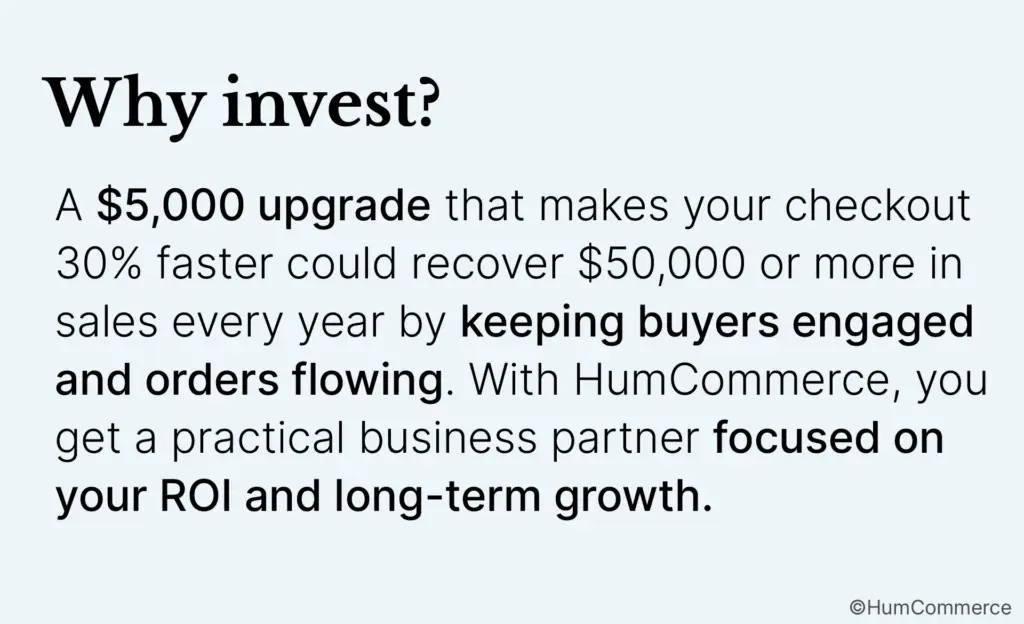
- The price of an upgrade depends on what you need, but it’s best to pay for it ahead of time. Patch updates usually cost between $300 and $1,500. It can cost between $3,000 and $15,000 to upgrade to the full version, and moving everything can cost more than $50,000. An intelligent upgrade can help you get a return on your investment (ROI) by making things run more smoothly, speeding things up, and making things easier for customers.
- Not doing backups or tests is a common mistake that can cost a lot of time and money. Make plans to upgrade when things are slow. Make sure all of your integrations and extensions work together before you do anything else.
- Upgrading Magento lets your store grow, work better with partner systems like CRMs and ERPs, and get new features faster. Businesses say that their checkout speeds have improved by up to 50% since they upgraded to Magento 2. They also say that their compliance has gotten better and it’s easier to grow.
- When you work with HumCommerce, you can be sure that there won’t be any downtime, that you’ll get help from experts, and that the process will be easy for you. Get a free evaluation to find out how the right upgrade can help your store run better and grow faster.
Your Magento store is just like your favorite car.
When you take care of it and keep it up to date, every ride is smooth. Deliveries are always on time, customers always get what they expect, and when it’s busy, it feels like driving down an empty highway.
But if you don’t keep up with repairs, you’ll be driving around with old parts that could break down at any time, like when a big order comes in or a competitor speeds up. If you wait too long to upgrade your Magento 2 store, you might miss out on stores that are faster and more reliable. The software on your eCommerce platform is out of date, which makes it slower and less secure.
If you work in wholesale, construction, or manufacturing, upgrading to Magento 2 will help you keep your customers’ trust, make sure every transaction is safe, and grow with confidence even as your operations and integrations get more complicated.
Don’t worry about the downtime and mess that costs a lot of money. This blog lists all the ways you can upgrade to Magento 2 and how much each one costs. This is a smart business move that will keep your eCommerce engine running smoothly.
What Will Happen If You Don’t Change Things?
Think about how hard it would be to win a race if your tires were flat.
Your store is using old Magento software, which slows it down, makes it more likely to break, and is just waiting to happen. Your data is at risk because security patches stop coming. Customers don’t like it when checkouts take too long, and payment processors or ERP connections can break at the worst possible time.
Companies that don’t upgrade Magento lose orders, have more people leave their carts, and have to pay more to fix things when they finally break.
Smart businesses hire Magento 2 upgrade services not only to fix problems, but also to keep things safe in the future. Putting things off will only make you more stressed and cost you more. Give your online store the boost it needs so that you don’t lose your next big order.
What does it mean to move up to Magento 2?
You are paying for the way your business works now and how it will grow in the future when you upgrade Magento 2.
It’s like having a lot of trucks that take your things all over the country. Some updates are like getting a new engine that runs faster and stronger (major version changes), while others are like changing the oil every few months (patches).
If your trucks are still using old parts (Magento 1), it’s time for a full overhaul. This will help you stay ahead of the competition no matter where you go.
Updates for patches (small fixes)
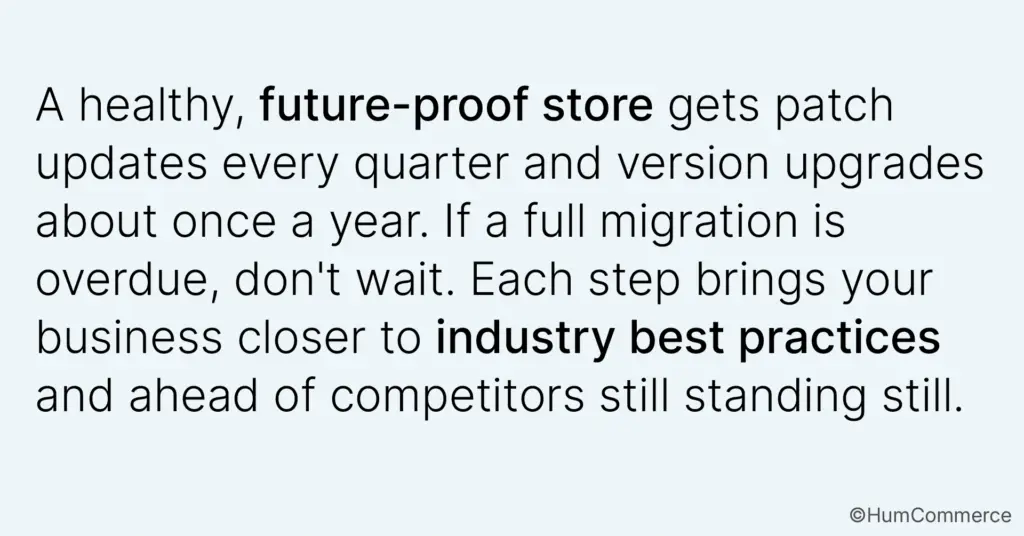
These are quick fixes that will keep your store safe from small bugs and security threats. Putting a new lock on the doors of your warehouse is like this. Adobe releases them every three months, going from 2.4.6 to 2.4.6-p12. Your team can keep selling without having to worry about the basics, like how your store looks or how sales are made.
New features are added to the version.
You can really tell that things are working better here. When you upgrade from 2.3.7 to 2.4.8, you get better B2B tools (like automated quoting), easier checkouts, and mobile experiences that always work. Your customers will notice these things. These updates help you stay competitive with the best in your field and meet the needs of buyers that change every year.
Complete Migration (Changing the Platform Completely)
You should upgrade if your business is still using Magento 1 because support for it ended in 2020. Magento 2 has a newer and safer structure, as well as tools and integrations that will help your business grow in the future.
How Much Does a Magento 2 Upgrade Cost?
The main thing that affects how much your Magento 2 upgrade will cost is the value and risk you’re taking. The cost will depend on how much you want to pay and how hard it is to run your store. Here’s a quick look at how they stack up:
| Upgrade Type | Cost Range | Timeline | Best For |
| Patch Update | $300 – $1,500 | 1-3 days | Routine maintenance (quarterly) |
| Version Upgrade | $3,000 – $15,000 | 2-6 weeks | Stores with custom features |
| Migration | $8,000 – $50,000+ | 8-12 weeks | Moving from Magento 1 |
Why does it cost more to move to Magento 2?
How Much You Changed:
The cost will be lower if your store has a simple theme and standard add-ons. But if you paid for custom checkout experiences or personalized B2B workflows, experts will have to rewrite and test all that code to make sure it works perfectly with your new version.
The links you have:
It’s easy and quick to set up shipping and a payment gateway. Are you syncing your data with Salesforce, SAP, or your warehouse management system? Make sure to plan your budget ahead of time because it will take longer to plan and test.
How big and busy the store is:
When the catalog is smaller, it’s easier to make changes. Having a lot of stock, a lot of warehouses, and a lot of daily orders makes things harder and means more testing is needed to avoid problems.
You can do it yourself or get help from a pro:
You could try to do it yourself, which would cost between $0 and $500, but there’s a good chance you’ll miss orders and have to wait. Professional upgrades to Magento cost between $2,000 and $15,000 and include backups, expert project management, and strict testing schedules. If your business can’t afford to stop, these are a good buy.
Don’t upgrade while you’re busy making sales, or you might end up losing more money than you save. You should have some money set aside for rollbacks in case something goes wrong. You should also set aside some money to buy new extensions in case the old ones don’t work after the upgrade.
Three Ways to Upgrade Magento 2 (Which Is Right for You?)
Three Ways to Make Magento 2 Better (Which One Is Best for You?)
You can make your Magento 2 store better in three safe ways. Each one is good for a different level of risk, resources, and goals.
Choosing the best way for your business is the first step in getting your online store ready for the future and able to make sales.
Step 1: Get a pro to fix your computer
This is the best way for business owners to relax, avoid tech issues, and make the change go smoothly. The main goal of HumCommerce is to help businesses that can’t afford to make mistakes or lose sales quickly improve their Magento stores.
What you will get:
- Audit: Before we make any changes, our experts look over every custom feature, integration, and extension. This way, you know exactly what will happen and what could go wrong.
- Backup: We hold on to everything, like your code, product pictures, and order information. Your store can be up and running again in a few minutes if something goes wrong.
- Staging environment: Upgrades are done on a private test copy, so your customers never see any bugs or downtime.
- Deployment with no downtime: Things keep going in the background. Everything goes well when we start up. While the new version takes over, your customers can keep shopping.
- 30-Day Support: For 30 days, our team keeps an eye out for problems that aren’t easy to see and fixes them before they hurt your sales.
How it works:
- You tell HumCommerce what you want to do with your business, and they look for both risks and opportunities in your store.
- Upgrade roadmap: We make a plan for all the changes and set deadlines that work for your business.
- Staging work: The test server is now running the new version. You check out the integrations, the B2B features, how well it works on mobile, and the checkout process.
- When things are going well, you only say “yes.”
- Overnight launch: We launch when there aren’t many customers, so they only see faster speeds and never a maintenance screen.
- Ongoing support: keeping an eye on things and making them better for 30 days after they go live.
Cost: Depending on how complicated your store is and how many integrations you need, you should budget between $2,000 and $15,000.
Why go this way?
- Peace of mind: Experts take care of technical problems.
- Saving time: Your team won’t have to fix bugs in upgrades anymore.
- Guaranteed uptime: HumCommerce makes plans for rolling back so that your store never loses a sale.
When to skip: If your in-house developer has done a lot of Magento upgrades, this path might be too much for you.
Method 2: Get help from your in-house developer
This is great if you have a Magento developer on staff and want to keep everything in-house.
What you need:
- Technical skills: Your developer should know how to use command-line tools, back up databases, and keep servers running smoothly.
- Serious time: It takes 40 to 80 hours of focused work to get the new version.
- QA and staging: You need a test server that you can trust to run upgrades without hurting your live store.
Let’s take a look at each step:
- Full backup: The developer saves the store’s databases, files, and pictures.
- Set up a staging site to run the upgrade and look for bugs to make a test copy.
- Run upgrade: Before putting patches and upgrades on the live store, always test them on the staging site.
- Check everything: Make sure that all of the admin tools, integrations, and checkout work on mobile devices.
- Plan ahead: Deploy overnight during a time when the store is closed for maintenance so that shoppers are least affected.
- Go live: When everything is set, send the changes to production.
- Monitor: For 48 hours after the launch, be on the lookout for fire drills and quick fixes.
The actual cost is:
- Labor costs can range from $3,000 to $12,000, depending on how many hours you work (40 to 80 hours at $75 to $150 per hour).
- Tools: $100 to $500 a month for staging, backup, and testing infrastructure that works.
Things to keep an eye on:
- Downtime: Not using staging environments can cause expensive outages.
- Extension conflicts: The code for about 30% of the modules may need to be rewritten after a big update.
- Rollback complexity: Be sure you can go back if the live site doesn’t work.
When to skip: Don’t risk making expensive mistakes if your developer doesn’t know how to upgrade Magento or if you don’t have a good testing and staging cycle. Get help from someone who doesn’t work for your company. HumCommerce can help you here.
Method 3: Updates that happen automatically (only for patch level)
Stores that use most of Magento’s standard features with only a few changes can easily win by using automatic updates.
What it is:
Every three months, Adobe puts out updates to fix security holes. Basic stores can use these by following a few simple steps in the admin panel or by hiring someone else to do the patch.
What you can’t do:
- It only works for small fixes (patches), not for big changes to the whole version.
- Not good for B2B stores that sell a lot or are very different from other stores.
- You need to know how to use basic technology to find mistakes or ask for help.
When to use it:
If you already have Magento 2.4.x with mostly default features and simple payment and shipping integrations, routine patch upgrades will keep your store safe without costing you a lot of money.
The price is usually:
If you hire someone else to do it, it will cost between $300 and $800 per patch. If you do it yourself, it can be free.
If you’re still not sure which method to use or why you should upgrade, you can get a FREE 30-minute consultation with our CEO.
What Happens When You Get an Upgrade? (Behind the Scenes)
When you upgrade Magento, you can’t just click “update” and hope for the best. At every step, there are checks, tests, and a safety net.
Before the change:
- Check your inventory. Your service provider or team keeps track of all the changes, additions, and integrations.
- We test the new version to make sure it works with all of the ERP, payment gateway, and module systems. This is what testing for compatibility means.
- Backups: Like taking a picture before you start remodeling, every file and database is saved so you can get what you need later.
During the upgrade:
- Test environment: All work is done on a copy of the site, so your customers won’t notice any changes.
- Code updates: Custom features are either rebuilt or improved so that they work with the new platform.
- Integration audits: We double-check the payment, shipping, and accounting connections to make sure everything is working right.
- QA checklist: Every important step, from checking out to syncing the warehouse, is checked.
After the change:
- Monitoring performance: The team looks at the page speed, server load, and error logs.
- User acceptance testing: Your business users check daily tasks to make sure nothing gets in the way of sales.
- Go-live: The switch happens when everything is working as it should and all the important tests are done. Most of the time, this happens when there aren’t many people around.
- Support: For 30 days, HumCommerce experts will keep an eye on things and fix anything that isn’t working.
What this means for your customers is:
In the best case, they only notice that the checkout process is now faster and easier. If you have to close the store for a while to make big changes, you can put up a sign that says “We’re upgrading, back in 2 hours” so that people know they can still shop. Most businesses can get patch updates in one to three days, version upgrades in two to six weeks (with only a few hours of downtime), and full migrations in eight to twelve weeks, all without any stress.
Five Things to Think About Before Moving to Magento 2
When the time is right, do what’s best for your business. As a smart decision-maker, here’s how to check if you’re ready and avoid expensive surprises.
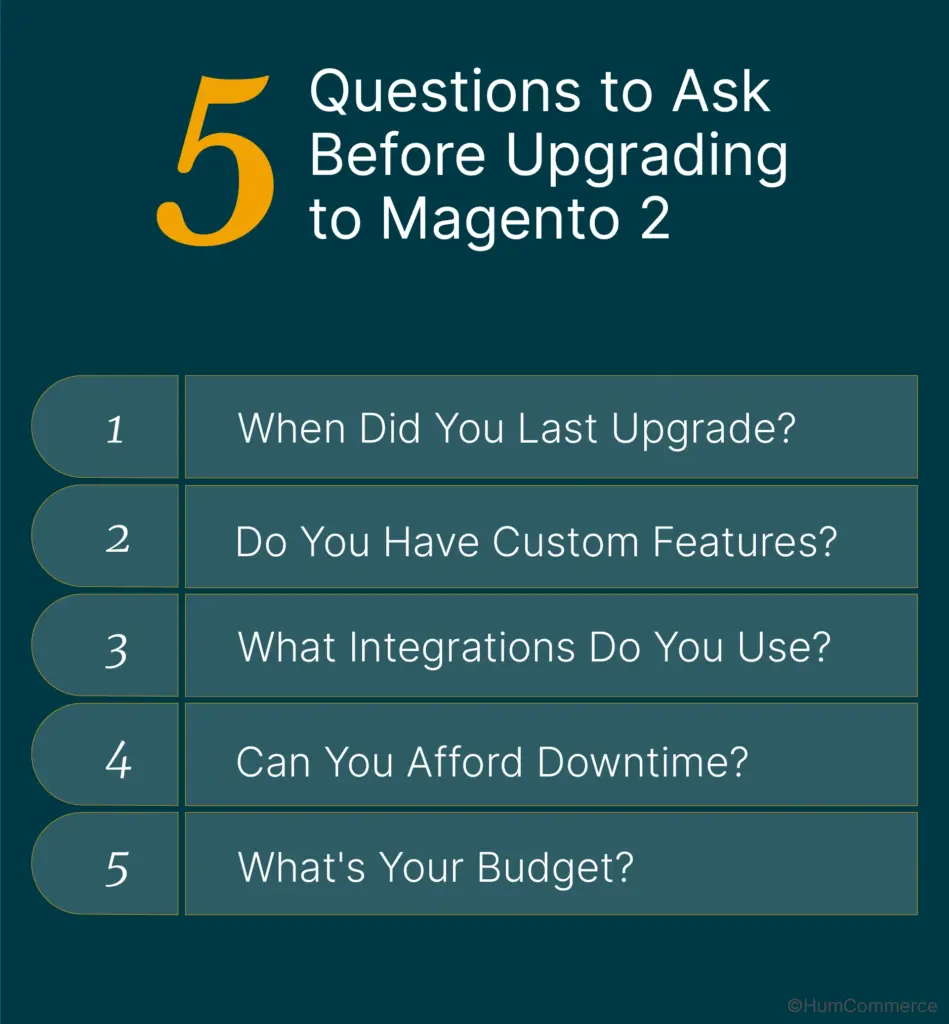
1. When did you last make changes?
- Every three months, make sure to install security updates. This is not even a year old.
- Plan to upgrade your version in one to two years. You might not be getting important news.
- You need to act right away because you could have problems with security, speed, and integration. Putting things off can hurt both sales and trust.
2. Do you have any unique qualities?
- Standard setup: Most of the time, it’s easy to make upgrades.
- If you want custom checkout, B2B workflows, or special integrations, you’ll have to put in more effort. To keep working with other code, custom code often needs to be changed or completely rewritten. “How much custom code do we have, and what does it do?” is a good question to ask your developer.
3. What types of connections do you have?
- Write down all the tools you use for shipping, payments, and storing goods, as well as your ERP (like SAP or Epicor) and CRM (like Salesforce).
- Will these tools still work after the update? Some of them may need to be tested or updated to make sure they are working correctly.
- You might need an extra two to four weeks to test complicated integrations. Make sure your budget shows this.
4. Can you be down?
- During the busiest times, you can either wait to upgrade or find a partner who doesn’t have any downtime.
- When things are slow, it’s best to do maintenance because it doesn’t matter if things have to stop.
- Stores with a lot of traffic: Use professional service and blue-green deployments to make sure the changes go smoothly.
5. How Much Money Do You Have?
- If you have less than $1,000, you should only do your own patch updates. It’s risky to upgrade to a new version, and if something goes wrong, it will probably cost more.
- This amount, between $2,000 and $8,000, lets you hire professional upgrade services. This is best for B2B stores that have been around for a while.
- $10,000 or more: Moving businesses and making complicated builds. This lets you make custom launches without any risk.
This guide might help if you’re still not sure about the pros and cons of Magento 2.4.8.
How to Avoid Common Mistakes When Upgrading
There are always risks when you upgrade, but if you plan ahead, you can turn them into small bumps in the road instead of big ones.
Here are some things to be aware of and ways to keep your Magento 2 upgrade on track.
Mistake #1: Upgrading during the busiest time of year
- Problem: Websites crash when there is a lot of traffic on Black Friday or during the holidays. They are easy to fix but cost a lot.
- Plan: Plan upgrades for the slower months, which are usually January and February for B2B. Prepare 2 to 3 months ahead of time.
Mistake 2: Not Testing First
- Problem: You can’t check out or place large orders because of live updates.
- Solution: Always try out the upgrade on a test store first. Check that all workflows that affect revenue, like checkout, mobile, B2B pricing, and integrations, are working properly before you make any changes live.
Mistake 3: Not paying attention to warnings about compatibility
- Problem: Because they rushed an upgrade, a business lost 12 hours of payment gateway processing time.
- Solution: Look over every extension and integration. Use Adobe’s free Upgrade Compatibility Tool to find problems before they get worse.
Mistake 4: Not making backups
- Problem: You can’t go back to an earlier point, and the upgrade doesn’t work. The downtime could last for days.
- Solution: Back up all of your files, the database, and any media before you make any changes. Then, to check that the backups work, restore one of them in staging.
Mistake 5: Trying to do it yourself when you don’t know how
- Problem: In fact, 30% of DIY upgrades don’t work, and fixing them usually costs three times as much as hiring professionals to do it right the first time.
- Solution: When DIY works: changes to the basic version of Magento. When to hire professionals: HumCommerce makes it safe to upgrade to a new version, add custom features, or make deep integrations.
What are the good things about switching to Magento 2?
When you upgrade to Magento 2, your whole online store will change, and you can expect steady growth.
More sales mean a store that works faster.
New caching and database improvements will make your site load 30% to 50% faster. B2B buyers can handle big orders up to 40% faster. This means that there are fewer abandoned carts and more sales. Industry data shows that conversions go up by 7% for every second that load time gets better.
Customers Trust You More When Your Security Is Better
The newest patches keep you safe from new threats, which means you can sleep better at night. If you don’t want to pay fines or lose business with payment processors, follow the rules set by PCI-DSS and GDPR. You can relax because your money and reputation are safe.
Modern features give you an advantage over your competitors.
Mobile-first design and a better checkout process make it easy for people to shop today. Sixty percent of shoppers do their research on their phones. Because admin tools are faster and smarter, your team can handle customers, products, and orders with half as many clicks.
When integrations work well, business operations are better.
You can focus on growth because your ERP, CRM, and accounting all work together in real time.
Future-Proofing = Lower Costs in the Long Run
Proactive upgrades cut emergency IT costs by two-thirds, and new extensions just work with no more waiting for patch support.
How HumCommerce Makes It Easy to Upgrade
At HumCommerce, upgrade projects aren’t just “tickets.” They are changes that are backed by a process that lowers risk and raises value for B2B companies.
Why should you hire professionals to help you get better?
- Getting rid of risk: Before the launch, experts back up the data, make sure everything works together, and practice every change.
- Saves time: Your team can spend more time with customers instead of working on server issues at night.
- Promise: We promise that there won’t be any downtime during cutovers, that the prices will stay the same, and that there will be clear deadlines. You don’t have to pay us if we make things worse.
How it works:
1. Free Evaluation
Make a 30-minute phone call first. During this time, our eCommerce experts will look over your custom features and integrations and give you a clear estimate of how much it will cost and how long it will take.
2. Making plans and getting ready
We check to see if everything works together, look over the custom code, and make a plan for testing. We look over the whole upgrade before anything goes into production.
3. Upgrade without any downtime
While upgrades and testing are going on in the background, the live store stays open. When things are calm, launches happen, and workers learn how to use any new features.
4. Help After the Launch
Thirty days of monitoring, ongoing performance optimization, and “human-first” support mean quick responses and constant improvements.
Next Steps: What to Do First
Not sure where to start? Follow these simple steps to get your Magento upgrade off to a good start:
- Find out what version you have now:
- You can ask your host or developer, “Which version of Magento are we on?”
- You need to upgrade right away if you’re on 2.3.x or an earlier version.
- You should get ready for a new version to come out in the next six months, between 2.4.0 and 2.4.5.
- If you have version 2.4.6 or later, be sure to install the quarterly patches.
- Check out the changes you made: Make a list of all the custom flows and features, such as checkout, B2B pricing, links to ERP or CRM, and payment extensions.
- Get Help from Experts: Before making big decisions, set up a free consultation to talk about timing, cost, and other things. No stress, just useful information that will help you make better decisions.
Final Thoughts
By upgrading your Magento, you are promising sales, safety, trust, and growth. The faster you learn about new trends in eCommerce, the faster you’ll beat your competitors and make every customer happy.
Don’t let things that are hard to understand or that could go wrong stop you from moving forward. Every time you upgrade Magento or launch a new product, it can be a springboard for your business’s next big leap if you have the right partner and a clear plan. This is where your journey to a better version begins. Let’s make it worth it.