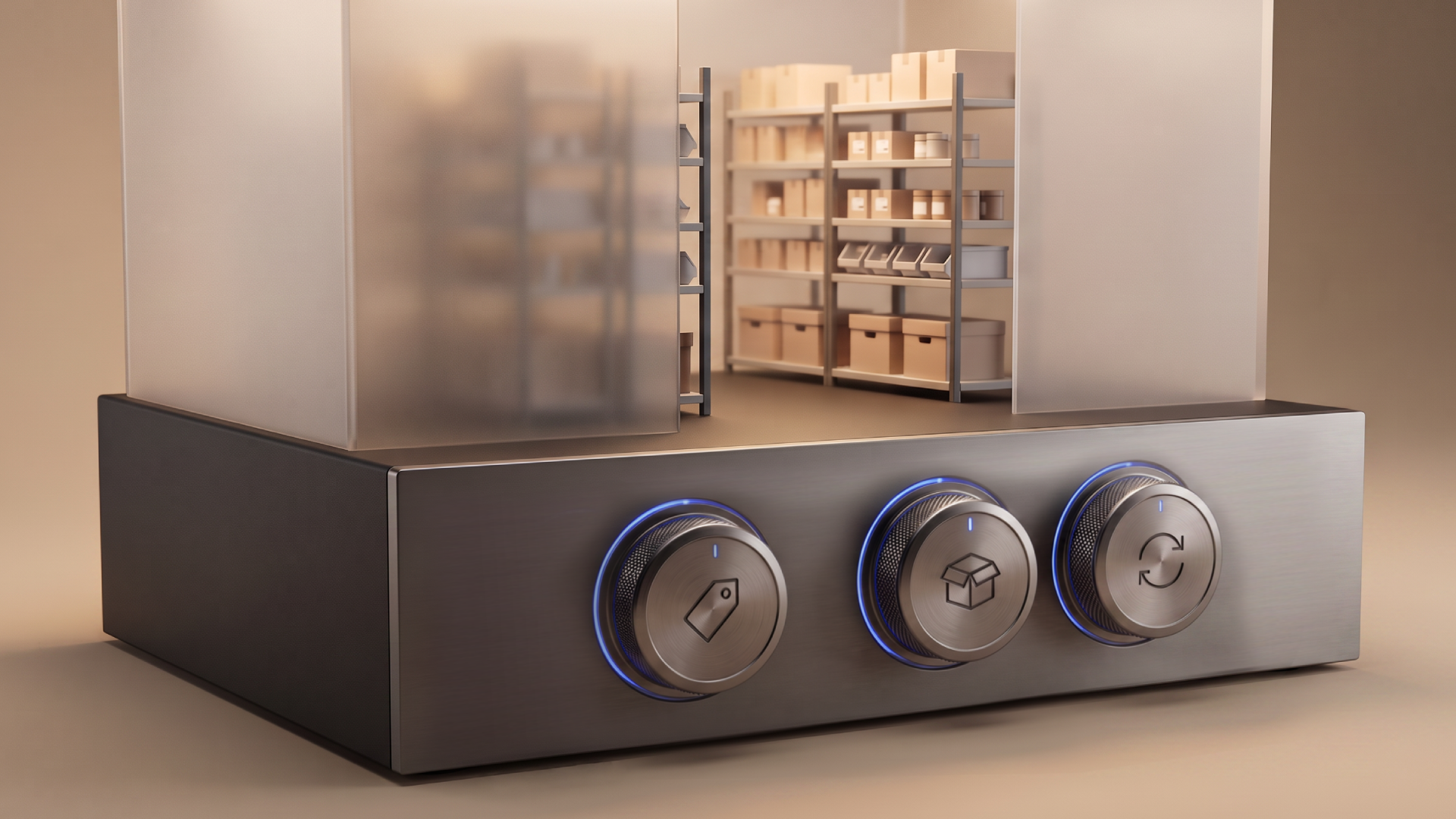
Your buyers use three features for 80% of their self-serve interactions. Build those first.
TL;DR
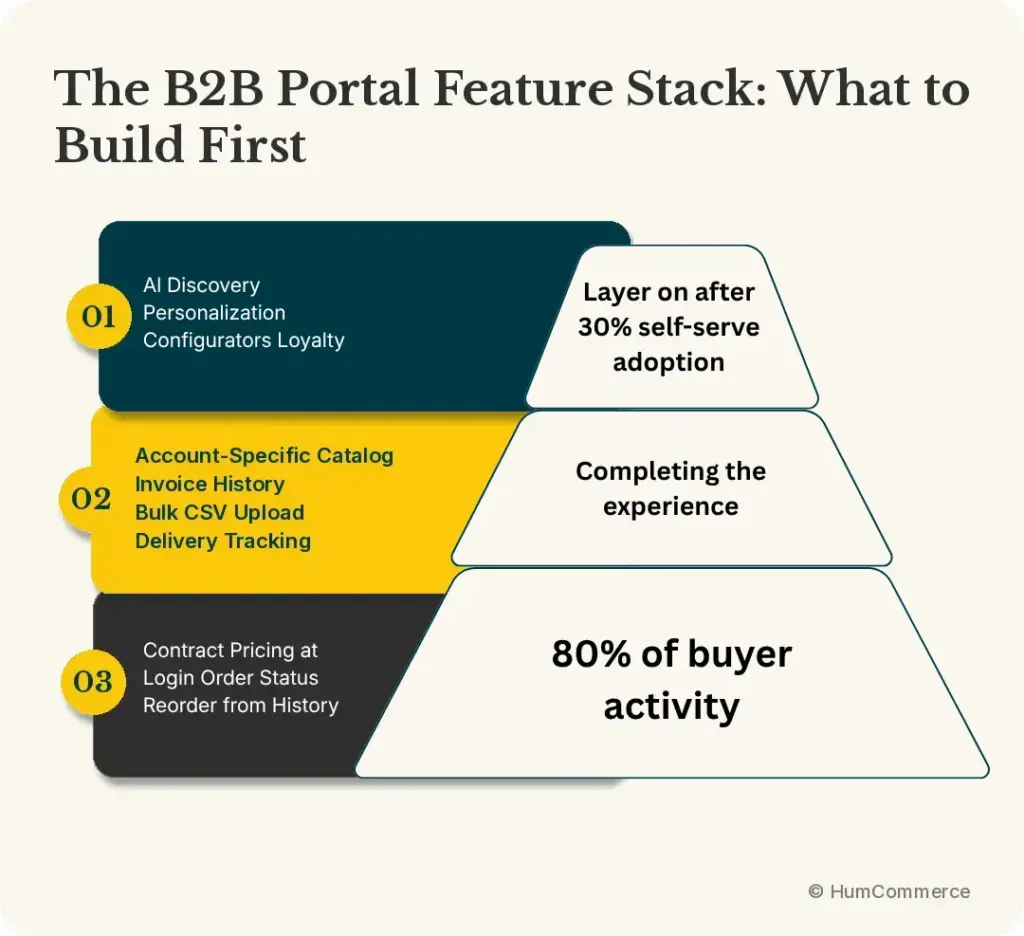
- B2B portal adoption fails most often not because of design, but because the portal doesn’t do the three things buyers need most: show their price, confirm availability, and let them reorder.
- The three highest-adoption features in any B2B portal: contract pricing at login, order status visibility, and reorder from history.
- The four features that complete the experience: account-specific catalog, invoice history, bulk order CSV upload, and delivery tracking.
- Features vendors pitch but buyers rarely use first: complex product configurators, AI chatbots without ERP integration, loyalty programs, and personalization engines.
- Sequence matters. Build the 80% first. Add the 20% after self-serve order adoption exceeds 30% of repeat transactions.
Every B2B portal launch starts with a feature list. Vendors present 40 capabilities. Operations leaders add more requirements. The development scope expands. Six months later you launch a portal with everything — and buyers still call their reps.
The problem is almost never missing features. It’s the wrong features in the wrong order.
B2B buyers have a narrow set of things they actually do in a portal, and they do them constantly. Pricing check. Order status. Reorder. Everything else is secondary until these three work reliably. When they do, adoption builds. When they don’t, buyers abandon the portal after two or three sessions and develop a workaround — usually a phone call — they stick to indefinitely.
What the Usage Data Shows
Session and interaction data from B2B portals post-launch consistently shows the same pattern. Three interactions account for 70-80% of all buyer activity in the first six months:
Checking pricing: Buyers log in to confirm what their contract rate is before placing an order or submitting a PO for approval. In most B2B purchasing environments, this is a compliance step — the buyer needs to know the contracted price before committing to it internally.
Checking order status: “Where is my order?” is the most frequently executed action in any buyer account section. Buyers check this multiple times per week for active orders.
Reordering: The single highest-conversion action in B2B portals. A buyer who places the same order they placed last month — same products, similar quantities — wants to do it in two clicks from order history. This is the fastest path from portal launch to self-serve order adoption.
Everything else — product discovery, quote requests, account management, invoice downloads — follows. None of it matters much if these three aren’t working.
The Three Features That Drive 80% of Adoption
1. Contract pricing visible at login
This is not a feature request. It’s a trust signal.
When a buyer logs into your portal and sees their negotiated rate — not list price, not a price that requires confirming — the portal communicates: “I know who you are and I have your correct data.” That’s the foundation for everything that follows. Without it, every subsequent interaction is conducted by a buyer who doesn’t fully trust what they’re seeing.
What this requires technically: a real-time API connection between the portal and the ERP’s customer pricing tables. The portal authenticates the buyer, retrieves their Business Partner record from the ERP, and applies their pricing group or Special Price to all product displays. This happens at login, not at checkout.
What building this does to adoption: In HumCommerce implementations, getting real-time contract pricing live at login is consistently the single change that produces the largest jump in self-serve order rate. Buyers who see their price place orders. Buyers who don’t, call.
2. Order status tracking in the account section
Buyers with active orders check status multiple times per week. They want to know: has the order been confirmed, has it shipped, when will it arrive, has the invoice been issued.
This requires syncing ERP order data — order status, shipment tracking number, expected delivery date, invoice status — to the portal account section. Without this sync, the account section is empty and buyers have no reason to log in between placing orders.
Once order status is visible, a meaningful portion of the “where is my order” support contacts disappears. Buyers check themselves. The support team handles the calls that remain — expediting, exceptions, delivery disputes — which are the contacts that require human judgment.
3. Reorder from order history
This is the capability that converts a portal into a genuine commerce tool rather than a product catalog. A buyer who placed an order three weeks ago wants to place the same order today. They should be able to: open their order history, find the order, click “reorder,” confirm quantity and address, and submit.
This requires ERP order history synced to the portal account section (same sync as order status), and a reorder workflow that pulls the historical line items back into an active cart.
Why this is the highest-conversion feature: Repeat orders are the majority of B2B purchasing volume at most manufacturers and distributors. A portal that makes repeat ordering faster than a phone call earns adoption. A portal that requires buyers to start from scratch every time doesn’t.
The Four Features That Complete the Experience
Once the three core features are working and self-serve adoption is building, these four complete the experience for most B2B operations:
Account-specific catalog
Not every product in your catalog is available to every account. Contract accounts may have approved product lists. Regulatory environments may restrict certain products to certain customer classes. Showing buyers only the products they’re authorized to purchase reduces confusion, reduces unauthorized order attempts, and reduces the support contacts that follow.
This requires account-level product access configuration in Adobe Commerce’s B2B catalog module, synchronized from ERP account or customer class data.
Invoice history and payment status
After order status, invoice access is the second most common reason buyers contact accounting or support. A portal that shows invoice history, payment status, and allows PDF invoice download eliminates a meaningful share of accounts receivable inbound contacts.
Bulk order CSV upload
Procurement-oriented buyers — particularly at larger accounts — often place orders from a purchase system that generates a spreadsheet. They want to upload a CSV with product codes and quantities rather than manually add line items. This is a high-adoption feature for industrial, medical, and government accounts.
The feature requires a CSV upload interface on the cart or order page and a product code mapping layer that matches the buyer’s internal part numbers to your catalog SKUs.
Delivery tracking integration
Order shipped is step one. Buyers also want a tracking number that links directly to the carrier’s tracking page. Integrating your shipping system (or ERP’s shipping data) with the portal account section closes the last gap in order visibility.
What to Build Later (Not First)
Several features that vendors prioritize in B2B portal deployments have lower adoption impact in the first 6-12 months:
Complex product configurators: High build cost, appropriate for operations with highly configurable products. Valuable eventually. Not where buyer adoption is lost or won.
AI chatbots without ERP integration: A chatbot that can’t answer pricing or inventory questions from live data generates more frustration than self-service. Deploy after the data integration is complete.
Loyalty programs and personalization engines: These layer on top of a functional portal. They amplify adoption but don’t create it. Build them after the 80% is working.
Multiple payment options and financing: Relevant for certain buyer segments. Low impact on repeat order adoption, which is where the operational ROI lives.
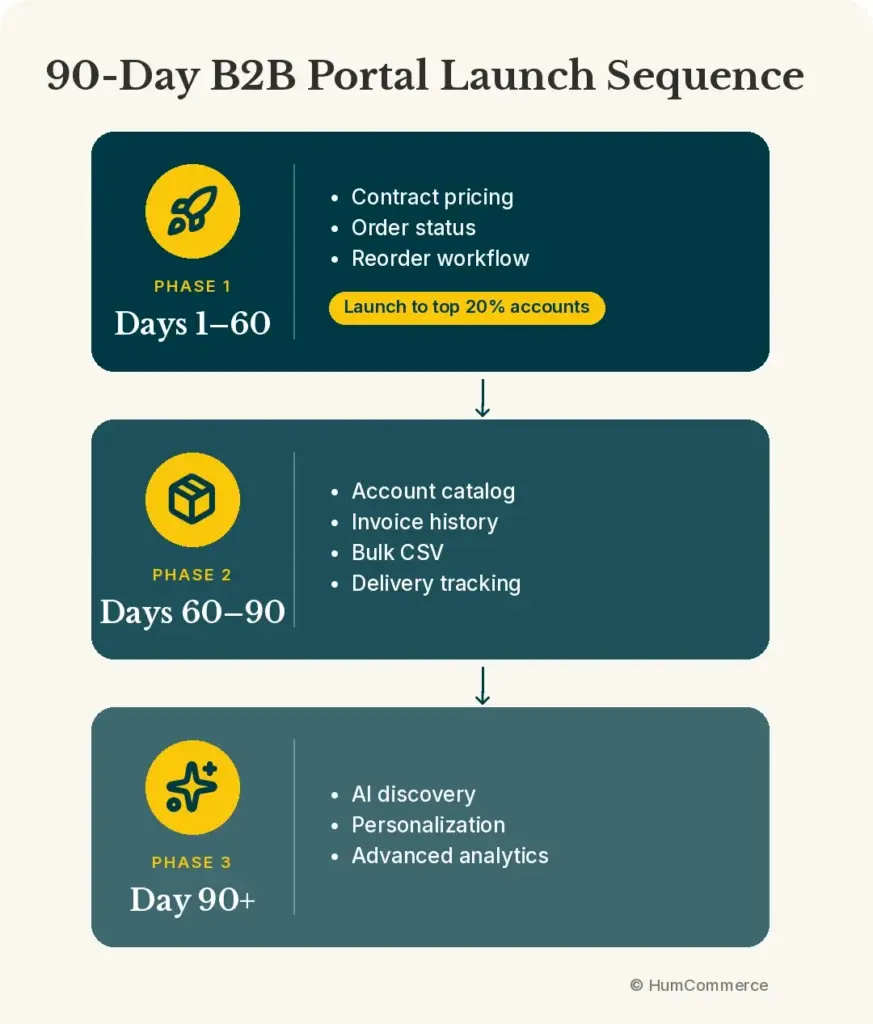
The Rollout Sequence That Builds Adoption
Phase 1 — core trust features (weeks 1-60 days):
- Contract pricing at login
- Order status in account section
- Reorder from history
Launch this to your top 20% of accounts by order volume. These accounts place the highest volume of repeat orders. Getting them onto the portal first produces the fastest adoption numbers and the fastest ROI.
Phase 2 — completing the experience (days 60-90):
- Account-specific catalog
- Invoice history and payment status
- Bulk CSV order upload
- Delivery tracking
Phase 3 — advanced capabilities (90 days+):
- AI-assisted product discovery
- Personalization based on purchase history
- Advanced analytics for account managers
The buyer communication plan matters as much as the technical rollout. When pricing goes live in the portal, email your top accounts: “Your contract pricing is now visible when you log in. Here’s how to reorder from your last order.” That communication drives the first portal logins, which produce the first self-serve orders, which change the rep’s behavior around who needs to be involved in repeat transactions.
Sources
- HumCommerce B2B portal deployment and adoption data, 2026
- Shopify, B2B eCommerce Portal, December 2025 — McKinsey “rule of thirds” on B2B self-service preferences: https://www.shopify.com/enterprise/blog/b2b-ecommerce-portal
- McKinsey & Company, B2B Pulse Survey, 2025
- HumCommerce client portal adoption tracking data