
TL;DR
- What this guide covers: A step-by-step process for mapping offline quoting and approval workflows into a B2B ecommerce platform without sacrificing the flexibility your sales team depends on.
- Who it’s for: VP Sales and eCommerce Managers at B2B industrial manufacturing and distribution companies.
- Platform covered: Adobe Commerce, integrated with Epicor, NetSuite, or SAP Business One.
- What you’ll be able to do: Digitize your B2B quoting process in ecommerce with a repeatable, step-by-step method that preserves custom pricing negotiations, multi-level approvals, and rep-driven workflows.
- Proof it works: Duke Industrial Equipment reduced quote-to-order time from 90 minutes to under 5 minutes and shortened its sales cycle from 90 to 52 days (42% faster).
Your sales reps are toggling between email threads, spreadsheets, and ERP screens to build quotes that should take minutes but consume hours. The cost isn’t just wasted labor: it’s lost deals, inaccurate pricing, and buyers who abandon the process entirely because they can’t get a number fast enough. This guide gives you a concrete method to map offline quoting and approval processes into your B2B ecommerce platform, preserving every custom pricing rule, approval chain, and negotiation workflow your business relies on. It’s built for B2B industrial manufacturing and distribution companies running Adobe Commerce with Epicor, NetSuite, or SAP Business One as their ERP backbone.
Why VP Sales / eCommerce Managers Get This Wrong
The most common failure pattern starts with good intentions: a company decides to digitize its B2B quoting process in ecommerce, so they activate Adobe Commerce’s native quote request feature, connect it loosely to their ERP, and expect reps and buyers to adopt it. What actually happens is that the digital workflow doesn’t reflect the real approval logic. A quote that requires regional manager sign-off above $25,000 gets routed incorrectly, or not at all. Custom pricing tiers that live in Epicor or NetSuite don’t sync to the storefront, so buyers see list prices instead of their negotiated contract rates. Reps lose trust in the system within weeks and revert to email. The platform becomes an expensive catalog rather than a transactional tool.
The downstream cost to a manufacturing or distribution business is significant. Research shows that 45-60% of potential B2B transactions are abandoned when buyers can’t see accurate, contract-specific pricing without contacting a rep. Every abandoned quote is a revenue leak. Every manual re-key from a PDF quote into the ERP is a data accuracy risk: wrong part numbers, incorrect volume tiers, misapplied freight terms. One mid-size distributor estimated that manual quoting errors cost them $180,000 annually in returns, credits, and rework. Beyond direct cost, there’s the competitive pressure: buyers increasingly expect self-service quoting, and the gap between what they want and what most B2B suppliers offer remains wide. A 2025 Spryker/Statista study found self-service portals are the second most preferred channel for B2B purchases, yet they rank only fourth in actual usage. Duke Industrial Equipment faced exactly this: quote-to-order time reduced from 90 minutes to under 5 minutes and sales cycle shortened from 90 to 52 days (42% faster) after fixing it.
What You Need Before You Start
Before you begin mapping your offline quoting workflows into Adobe Commerce, confirm these prerequisites are in place. Skipping any of them will create rework later.
ERP data readiness: Your pricing master data in Epicor, NetSuite, or SAP Business One must be clean and current. This means contract rates, volume tiers, customer-class pricing, and product configuration rules are accurate and accessible via API or middleware. If your ERP pricing hasn’t been audited in the last 12 months, do that first.
Adobe Commerce admin access and B2B module activation: You need admin-level configuration rights in Adobe Commerce with the B2B module enabled. Confirm that company accounts, shared catalogs, and the negotiable quotes feature are all active. If you’re running an older Magento version without these modules, budget for the upgrade before proceeding.
Documented approval chain logic: Write down every approval rule your business currently follows. Who approves quotes above $10,000? Above $50,000? Which product categories require engineering review? Which regions have different authority thresholds? This documentation is the single most important input for your digital workflow configuration.
Stakeholder alignment between sales leadership and IT: The VP of Sales and the eCommerce Manager must agree on which workflows move online and which stay hybrid. Without this alignment, reps will sabotage adoption by telling customers to “just call me instead.”
Integration middleware or connector in place: A tested integration layer between Adobe Commerce and your ERP (such as Celigo for NetSuite, Jitterbit, or a custom REST API connector for Epicor) must be operational. Two-way sync for customer accounts, pricing, and order data is non-negotiable.
A pilot customer segment identified: Select 10-20 accounts to test the digital quoting workflow before full rollout. Choose accounts with varying complexity: some with simple catalog orders, others with custom configurations and multi-level approvals.
How to Map Offline Quoting and Approval Processes Into a B2B Ecommerce Platform Without Losing Flexibility: Step-by-Step
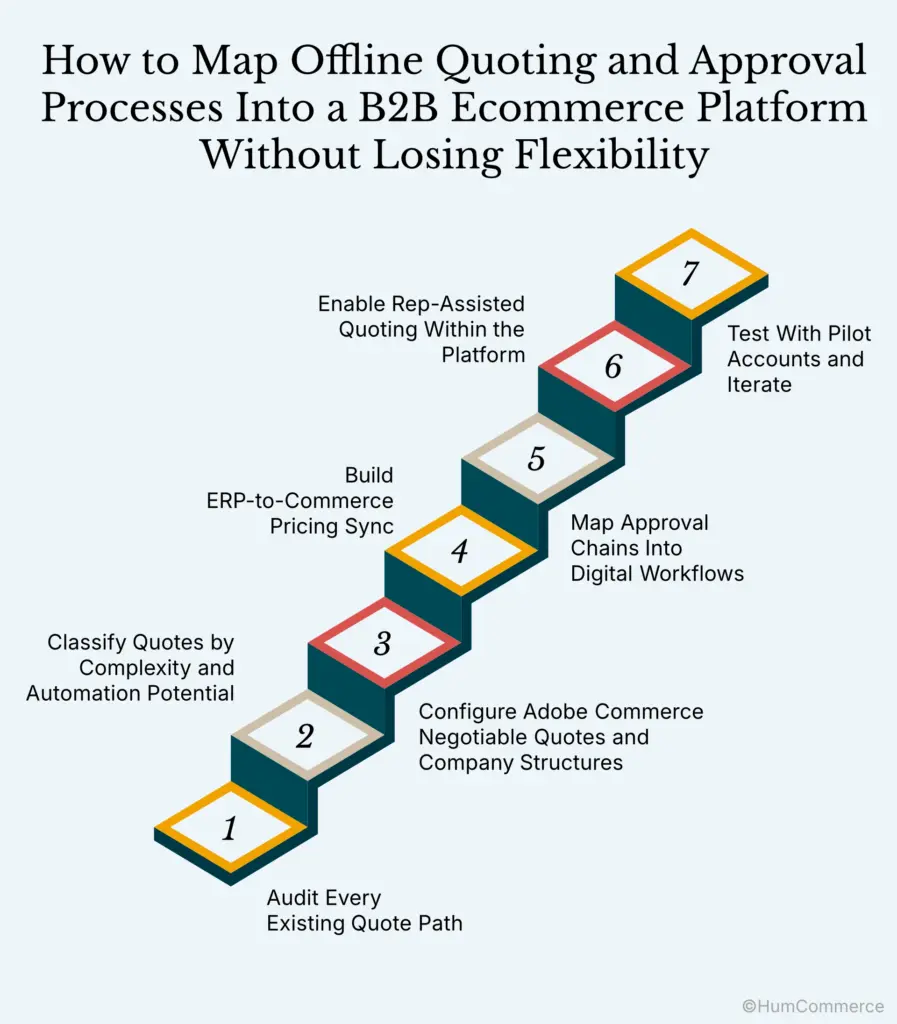
Step 1: Audit Every Existing Quote Path
Start by documenting every way a quote currently gets created in your organization. Shadow your inside sales team for a week. Sit with reps as they field phone calls, process emailed RFQs, and manually key quotes into Epicor, NetSuite, or SAP Business One. You’ll likely discover 3-5 distinct quote paths: standard catalog quotes, configured product quotes, exception pricing requests, blanket/contract quotes, and rush quotes with expedited approval. Each path has different data inputs, approval requirements, and turnaround expectations. Map each one as a flowchart before touching any platform configuration. The goal here isn’t to digitize everything at once: it’s to know exactly what you’re working with.
Step 2: Classify Quotes by Complexity and Automation Potential
Not every quote type should follow the same digital workflow. Sort your quote paths into three tiers. Tier 1 includes standard catalog quotes with established contract pricing: these can be fully automated through Adobe Commerce’s B2B quote workflow with pricing rules pulled directly from your ERP. Tier 2 covers quotes requiring one level of approval or minor price adjustments: these need a hybrid workflow where the buyer submits a request for quote (RFQ) and a rep reviews it within the platform. Tier 3 is reserved for complex configured products, exception pricing, or engineering review: these may start online but require offline steps before returning to the platform for final acceptance. This classification prevents the common mistake of forcing all quotes through a single rigid workflow.
Step 3: Configure Adobe Commerce Negotiable Quotes and Company Structures
Set up company accounts in Adobe Commerce that mirror your ERP’s customer hierarchy. Each company account should have roles mapped to your real org structure: buyers who can request quotes, purchasing managers who can approve them, and admins who can place orders. Enable negotiable quotes and configure the quote expiration, minimum order thresholds, and allowed discount ranges. This is where your documented approval chain logic from the prerequisites phase becomes critical. Adobe Commerce allows you to set approval rules by order value, product category, and buyer role. Connect these rules to the authority thresholds your sales leadership defined. For Epicor-connected implementations, HumCommerce has achieved 75% faster quote workflows by tying CPQ logic directly into the Adobe Commerce quote negotiation flow, so quotes always follow real pricing, configuration, and approval rules instead of manual spreadsheets.
Step 4: Build ERP-to-Commerce Pricing Sync
Your ERP is the single source of truth for contract rates, volume tiers, and customer-specific pricing. Configure your integration middleware to push pricing updates from Epicor, NetSuite, or SAP Business One into Adobe Commerce’s shared catalogs on a scheduled or real-time basis. The sync frequency depends on how often your pricing changes: industrial distributors with daily commodity price fluctuations need near-real-time sync, while manufacturers with quarterly contract renewals can use batch updates. Test the sync thoroughly with your pilot accounts. Verify that when a buyer logs into the portal, they see their exact negotiated price, not list price. This single capability drives the highest conversion lift in B2B ecommerce: custom pricing rules integration shows a 37% improvement in conversion rates according to industry benchmarks.
Step 5: Map Approval Chains Into Digital Workflows
Translate your offline approval logic into Adobe Commerce’s purchase order approval workflows. For a typical industrial distributor, this might look like: orders under $5,000 auto-approve, orders between $5,000 and $25,000 require purchasing manager approval, and orders above $25,000 require VP-level sign-off. Configure email and in-platform notifications at each approval stage so no quote sits in a queue unnoticed. The key to preserving flexibility here is building exception paths. Not every quote fits a rule. Allow designated sales reps to override standard approval chains for strategic accounts, with an audit trail that logs every override. This keeps the process governed without making it rigid. In SAP Business One environments, map the approval triggers to match your existing SAP workflow conditions so the digital process feels familiar to approvers.
Step 6: Enable Rep-Assisted Quoting Within the Platform
Your sales reps need the ability to create and modify quotes on behalf of customers directly inside Adobe Commerce. Configure the “login as customer” or sales rep impersonation feature so reps can build quotes using the same interface buyers see. This is essential for the B2B ecommerce RFQ setup because many industrial buyers still prefer to call their rep, especially for large or complex orders. The rep creates the quote in the platform, applies any negotiated adjustments, and sends it to the buyer for digital acceptance. The buyer clicks “approve,” and the order flows into the ERP automatically. No re-keying. No PDF attachments. No data entry errors. This hybrid approach is what preserves flexibility: buyers who want self-service get it, and buyers who want rep assistance get the same digital workflow with a human touch.
Step 7: Test With Pilot Accounts and Iterate
Run your 10-20 pilot accounts through the full quote-to-order cycle. Track three metrics: quote turnaround time (from RFQ submission to buyer receiving a price), quote-to-order conversion rate, and data accuracy (does the order in the ERP match the quote exactly?). Gather feedback from both buyers and reps. You’ll find edge cases your documentation missed: a product category that needs an engineering hold, a customer class with unique payment terms, a regional tax rule that affects quote totals. Fix these before expanding. Quote turnaround time is your leading indicator: companies that automate quote capture, approvals, and ERP checks in their end-to-end B2B quote management flow have reduced turnaround from 3-5 days to just hours.
3 Mistakes to Avoid
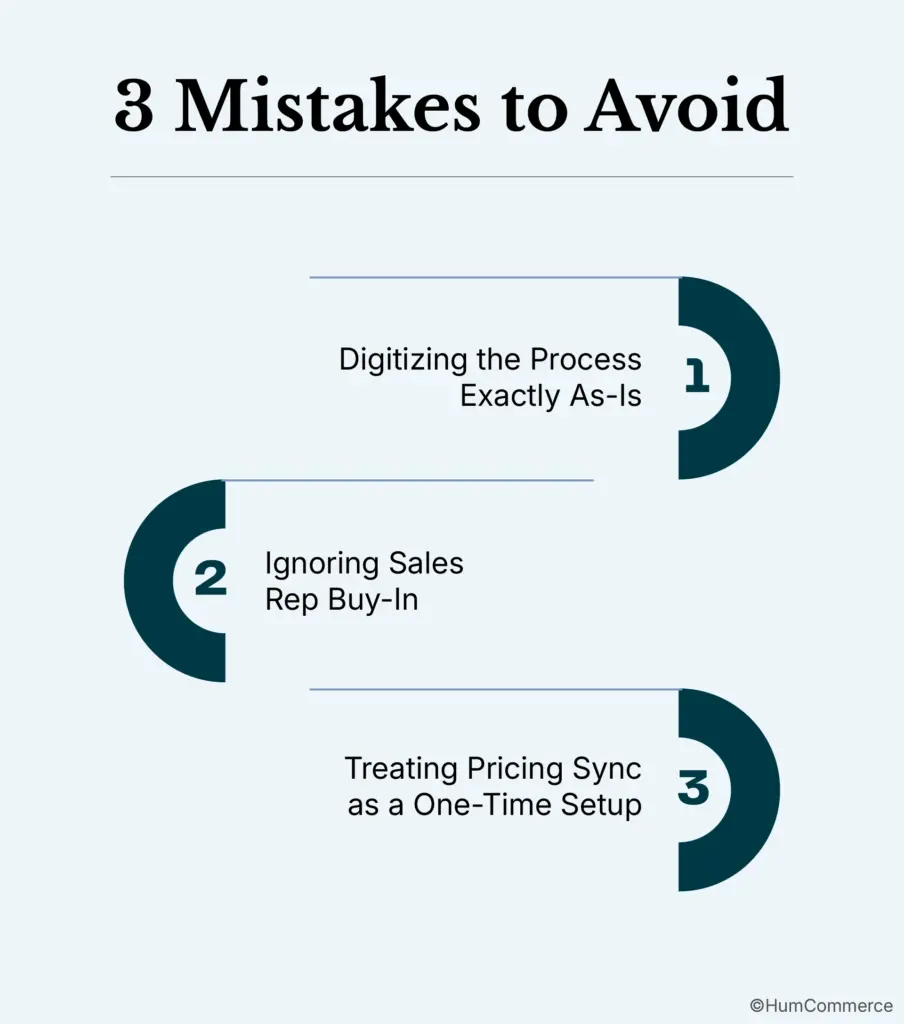
Mistake 1: Digitizing the Process Exactly As-Is
Copying your offline workflow into a digital platform without questioning it locks in existing inefficiencies. If your current process requires three email approvals for a $500 reorder, that’s not a workflow worth preserving: it’s a bottleneck. Audit each step for necessity before you configure it in Adobe Commerce.
Mistake 2: Ignoring Sales Rep Buy-In
Reps who fear the platform will replace them or reduce their commissions will actively steer customers away from it. One VP of Sales described the problem bluntly: “My reps will tell customers ‘Don’t use the website, just call me’ to protect their book of business.” Solve this by attributing online orders to the assigned rep and providing dashboards showing their customer’s quote activity, abandoned carts, and upsell opportunities.
Mistake 3: Treating Pricing Sync as a One-Time Setup
Pricing in B2B is dynamic: contract renewals, commodity fluctuations, volume tier changes, and promotional overrides all affect what a buyer should see. If your ERP-to-Commerce pricing sync breaks or falls out of date, buyers lose trust in the portal immediately. Build monitoring alerts that flag sync failures and schedule quarterly audits of pricing accuracy across your top 50 accounts.
Real Example: Duke Industrial Equipment
Duke Industrial Equipment was struggling with a manual, email-driven RFQ and quote-to-order process that consumed sales rep time and frustrated buyers waiting days for pricing on configured industrial products.
After getting this right:
- Quote-to-order time reduced from 90 minutes to under 5 minutes
- Sales cycle shortened from 90 to 52 days (42% faster)
The transformation centered on connecting Adobe Commerce’s negotiable quotes module directly to their ERP, creating a single digital thread from RFQ submission through approval and order placement.
Buyers could submit quote requests through the portal with full product specifications, and the system applied contract pricing rules automatically instead of requiring a rep to look up rates in the ERP and manually build a PDF.
Reps shifted from order-taking to strategic selling, using the platform’s dashboards to monitor quote status, follow up on pending approvals, and identify upsell opportunities within active quotes. The ERP integration ensured every approved quote converted to an order with accurate pricing, correct part numbers, and proper payment terms: no re-keying, no errors, no delays.
Need Help Implementing This?
Mapping offline quoting and approval workflows into a B2B ecommerce platform is straightforward in concept but complex in execution. The configuration details matter enormously: approval thresholds, pricing sync frequency, exception handling, rep permissions, and ERP field mapping all need to be right for the system to earn trust from both buyers and your sales team. HumCommerce specializes in exactly this type of implementation for B2B industrial manufacturers and distributors running Adobe Commerce with Epicor, NetSuite, or SAP Business One. Our approach is ERP-first, meaning the commerce platform behaves as an extension of your operations rather than a disconnected storefront. Every quote workflow, pricing rule, and approval chain connects back to your ERP as the single source of truth.
Talk to a HumCommerce consultant about your B2B ecommerce RFQ and quote-to-order setup.