
TL;DR
- Connecting your ERP, PIM, and B2B ecommerce store requires treating your ERP as the operational backbone rather than an afterthought.
- Map your current data flows first, identify sync gaps, establish clear ownership for each data type.
- Implement bidirectional integrations that keep pricing, inventory, and orders accurate across all systems.
- Most integration failures stem from poor planning and unclear data governance rather than technical limitations.
- Start with your highest-friction workflows, pilot changes with a subset of products or customers, and expand once you’ve proven the approach works.
Why This Matters for B2B Distributions
Your customers expect pricing that matches their negotiated contracts. They expect inventory counts that reflect reality. They expect order confirmations that don’t require a follow-up phone call to verify. When your ERP, PIM, and ecommerce store operate as disconnected systems, none of these expectations get met consistently.
The cost of disconnected systems compounds daily. Sales reps spend hours reconciling order discrepancies instead of closing deals. Customer service fields calls about pricing errors that should never have appeared online. Warehouse teams fulfill orders against inventory numbers that were wrong before the pick ticket printed. According to research from Ignitiv, 50% of ERP integrations fail to meet expected ROI due to poor planning and execution. The problem isn’t the technology itself: it’s how organizations approach the integration.
B2B buying behavior has shifted permanently toward digital channels. Shopify’s research predicts that 80% of B2B sales interactions will take place in digital channels in 2025. If your online store can’t deliver accurate pricing and real-time availability, you’re losing orders to competitors who can. The companies winning in B2B ecommerce treat integration as core infrastructure, not a nice-to-have feature.
Why Integrating ERP, PIM, and Your B2B Ecommerce Store Without Data Silos Is a Priority Now
Manual workarounds that sufficed five years ago have become operational liabilities. The distributor managing 50,000 SKUs through spreadsheet exports can’t compete with one whose product data flows automatically from PIM to storefront. The manufacturer whose sales team manually checks ERP for inventory before quoting loses deals to competitors offering real-time availability online.
Customer expectations have risen dramatically. Oroinc reports that 80% of B2B buyers are more likely to purchase from a company offering accurate product information. Your buyers compare your experience to Amazon Business and Grainger. They’ve experienced what good looks like, and they won’t tolerate outdated catalogs or pricing that requires a phone call to verify.
The operational math favors integration. Consider how many hours your team spends weekly on tasks that proper integration would eliminate: re-keying orders, correcting pricing errors, updating inventory counts manually, fielding customer calls about order status. Multiply that hourly cost by 52 weeks. That number typically dwarfs the investment required for proper integration.
What ‘Done’ Looks Like When You Integrate ERP, PIM, and Your B2B Ecommerce Store Without Data Silos
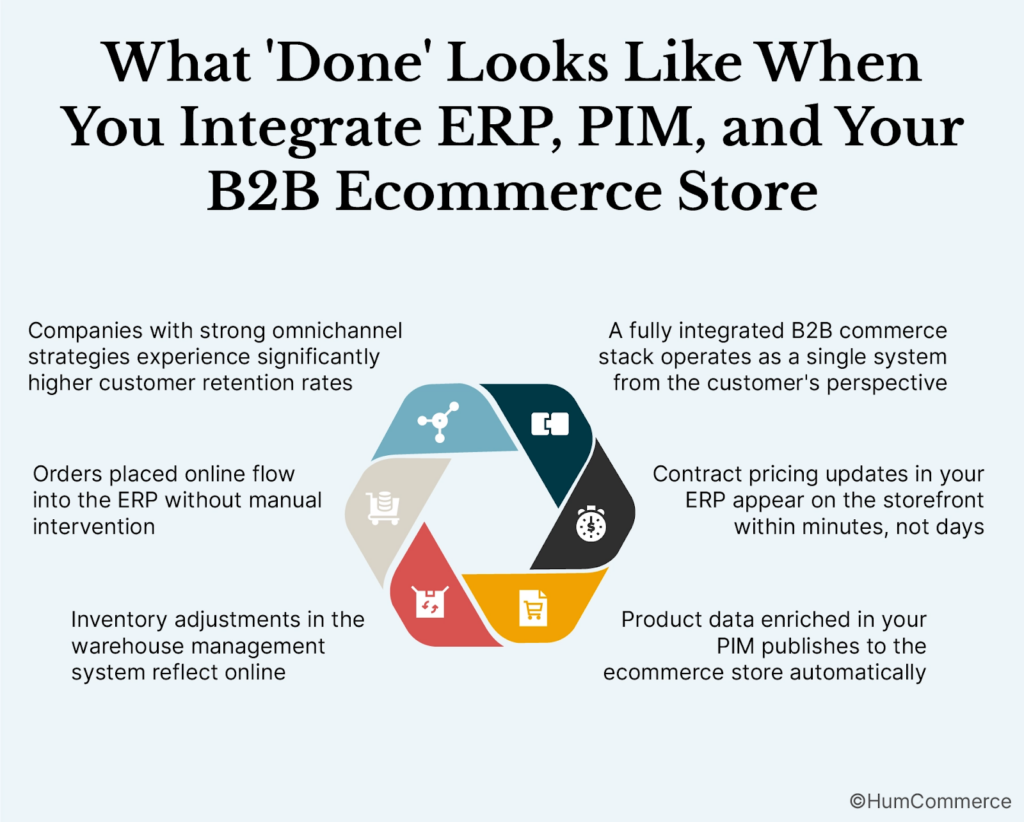
A fully integrated B2B commerce stack operates as a single system from the customer’s perspective, even though multiple specialized platforms handle different functions behind the scenes.
Contract pricing updates in your ERP appear on the storefront within minutes, not days. When a customer logs into their account, they see their negotiated prices immediately. Product data enriched in your PIM publishes to the ecommerce store automatically, complete with specifications, images, and related products. Inventory adjustments in the warehouse management system reflect online within the sync interval you’ve configured.
Orders placed online flow into the ERP without manual intervention. The ERP validates credit limits, applies payment terms, and routes the order for fulfillment. Order status updates travel back to the storefront, so customers can track their shipments without calling your team. Returns and cancellations trigger automatic inventory reconciliation.
Companies with strong omnichannel strategies experience significantly higher customer retention rates: 89% versus 33% for companies with weak strategies. Integration isn’t just about operational efficiency. It directly impacts whether customers return.
Step 1: Map How You Integrate ERP, PIM, and Your B2B Ecommerce Store Without Data Silos Today
Before changing anything, document exactly how data moves through your current systems. This step reveals the gaps, redundancies, and manual interventions that integration should eliminate.
Identify Every Data Handoff
Walk through a complete order lifecycle from initial product search to final invoice. Note every system the data touches and how it gets there. Does product information live in the ERP, the PIM, or both? When pricing changes, who updates it and where? How do orders move from the website to fulfillment? Document the answers, even when they’re embarrassing.
Quantify the Manual Effort
For each manual handoff you identify, estimate the time spent weekly. Include the obvious tasks like re-keying orders, but also the hidden work: verifying pricing accuracy, reconciling inventory discrepancies, answering customer questions that a connected system would answer automatically. This baseline becomes your business case for integration investment.
Map Data Ownership
Every data element needs a single source of truth. Core product records typically originate in the ERP. Rich product content belongs in the PIM. Transactional data flows from the ecommerce platform. Confusion about ownership creates the sync conflicts that erode trust in your data.
Step 2: Check If You’re Ready to Integrate ERP, PIM, and Your B2B Ecommerce Store Without Data Silos
Integration readiness isn’t primarily about technology. It’s about organizational alignment, data quality, and process maturity.
Assess Data Quality
Integration amplifies whatever data quality you have. If your ERP contains duplicate customer records, those duplicates will propagate to your storefront. If your PIM has incomplete product specifications, customers will see that incompleteness. Clean your source data before you connect systems, or you’ll spend integration resources troubleshooting data quality issues.
Evaluate API Capabilities
Modern integration relies on APIs that allow systems to exchange data programmatically. Check whether your ERP, PIM, and ecommerce platform offer the API endpoints you need for bidirectional sync. Older ERP systems sometimes require middleware or custom development to expose necessary data. Factor this into your timeline and budget.
Confirm Organizational Readiness
Research shows that 42% of ERP integration failures stem from inadequate change management. Integration changes workflows across departments. Sales, operations, finance, and IT all need to understand how their processes will change. Secure executive sponsorship before you begin, and establish clear escalation paths for the issues that will inevitably arise.
Step 3: Prepare Your Systems and Data
Preparation separates successful integrations from expensive failures. This phase takes longer than most organizations expect, but shortcuts here create problems that persist for years.
Standardize Data Formats
Your ERP might store dates as MM/DD/YYYY while your ecommerce platform expects YYYY-MM-DD. Currency codes, unit measurements, and product identifiers all need consistent formatting across systems. Define your standards and transform data to match before integration begins.
Establish Data Governance Rules
Decide which system wins when conflicts occur. If the ERP shows a different price than the PIM, which takes precedence? Define validation rules that prevent bad data from propagating. Set up completeness scoring so you can monitor data quality over time.
Clean and Enrich Product Data
BetterCommerce research shows that PIM systems can accelerate new product launches by 30% by automatically updating details across platforms. That acceleration only happens when your product data is clean and complete. Invest in enrichment before integration, not after.
Step 4: Design the Improved Process
With your current state documented and your systems prepared, you can design the integrated workflow that replaces manual handoffs with automated data exchange.
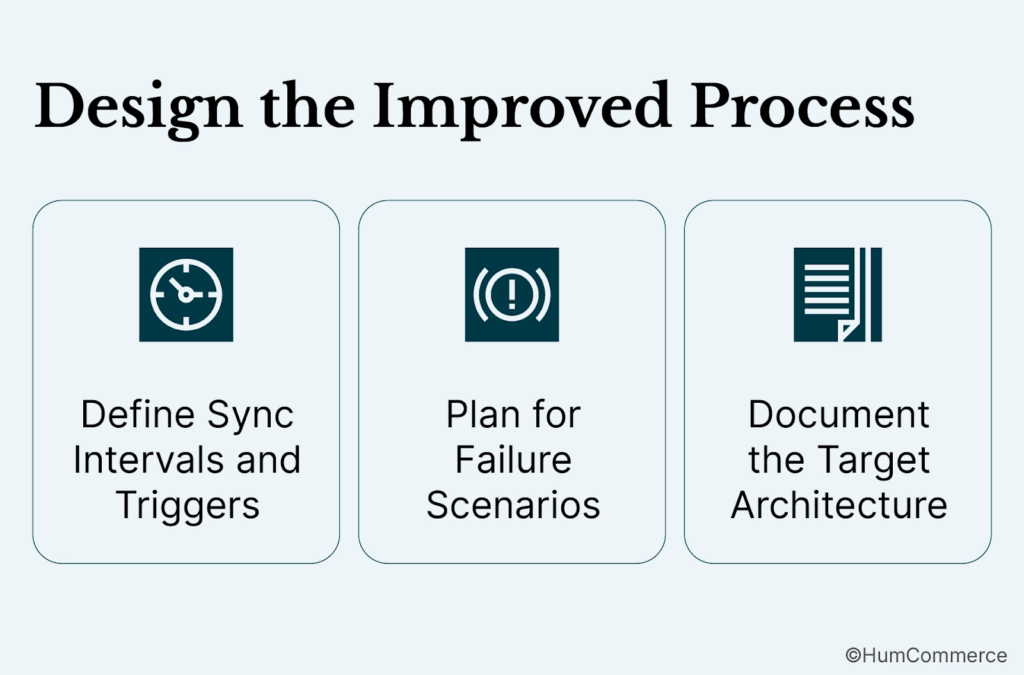
Define Sync Intervals and Triggers
Not all data needs real-time sync. Inventory levels might require updates every few minutes during business hours. Pricing changes might sync nightly unless a manual trigger pushes them sooner. Product content updates might batch process weekly. Match sync frequency to business requirements, not technical capability.
Plan for Failure Scenarios
Systems fail. Networks go down. APIs hit rate limits. Design your integration to handle these scenarios gracefully. Queue-based architectures let failed transactions retry automatically. Dead-letter queues capture transactions that can’t be processed for manual review. Monitoring alerts notify your team before customers notice problems.
Document the Target Architecture
Create clear documentation showing how data will flow between systems once integration is complete. Include the specific API endpoints, data transformations, and validation rules. This documentation becomes the specification your implementation team builds against and the reference your operations team uses for troubleshooting.
Step 5: Implement Changes in Your Stack
Implementation translates your design into working integrations. The technical work matters, but so does the sequencing and testing approach.
Start with High-Value, Low-Risk Integrations
Don’t attempt to connect everything simultaneously. Begin with a single data flow that delivers clear value: perhaps inventory sync or order transmission. Prove the integration pattern works before expanding scope. This approach limits risk and builds organizational confidence.
Build Bidirectional Sync Carefully
One-way integrations send data in a single direction. Bidirectional integrations connect both systems so updates flow in either direction. Bidirectional sync is essential for B2B ecommerce because the data relationship is inherently two-way. Orders flow from storefront to ERP. Pricing flows from ERP to storefront. Inventory adjustments flow both directions depending on the source.
HumCommerce’s ERP integration work for Adobe Commerce focuses on three critical sync choke points: contract pricing that updates instantly when the ERP changes, bulk orders that process without CSV handling, and returns that trigger automatic inventory reconciliation. These specific workflows cause the most friction when disconnected and deliver the most value when integrated properly.
Implement Monitoring and Alerting
Integration isn’t complete when data starts flowing. You need visibility into sync status, error rates, and data quality metrics. Build dashboards that show sync health at a glance. Configure alerts that notify appropriate team members when thresholds are exceeded.
Step 6: Pilot, Measure, Improve
Production deployment reveals issues that testing environments miss. A controlled pilot limits exposure while you identify and resolve problems.
Select a Pilot Scope
Choose a subset of products, customers, or transactions for initial deployment. A product category with moderate complexity works well. Avoid piloting with your highest-volume products or most important customers until you’ve validated the integration handles edge cases correctly.
Define Success Metrics
Before the pilot begins, establish how you’ll measure success. Relevant metrics might include sync error rates, time savings for manual processes, pricing accuracy, inventory accuracy, and customer-reported issues. Compare pilot results against your baseline documentation from Step 1.
Iterate Based on Results
Pilots reveal unexpected behaviors. Perhaps certain product configurations don’t sync correctly. Perhaps the sync interval needs adjustment for specific data types. Address these issues before expanding scope. Integration quality matters more than integration speed.
Common Mistakes to Avoid When You Integrate ERP, PIM, and Your B2B Ecommerce Store Without Data Silos
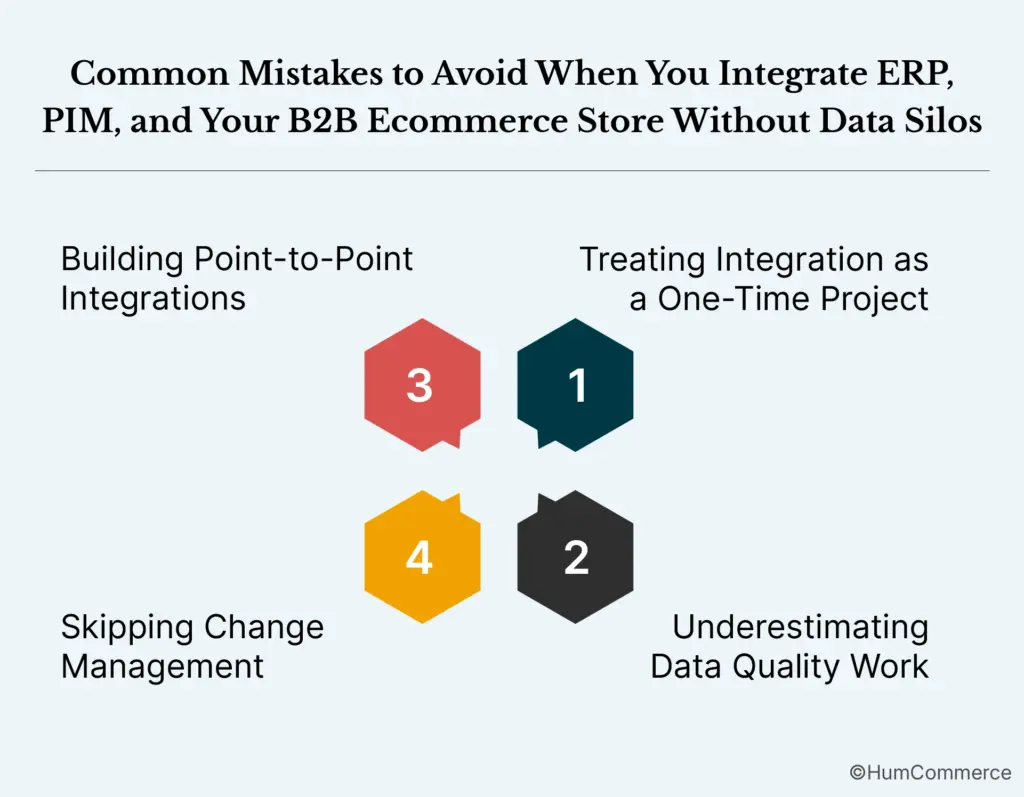
Treating Integration as a One-Time Project
Integration requires ongoing maintenance. APIs change. Business requirements evolve. New product categories need mapping. Staff the integration function appropriately for long-term operation, not just initial implementation.
Underestimating Data Quality Work
Organizations consistently underestimate the effort required to clean and standardize data before integration. Budget adequate time for data preparation. Rushing this phase creates problems that persist throughout the integration lifecycle.
Skipping Change Management
Technical integration succeeds while organizational adoption fails. Sales reps continue calling the warehouse for inventory checks because they don’t trust the online numbers. Customer service enters orders manually because the integrated workflow feels unfamiliar. Invest in training and communication proportional to the process changes you’re implementing.
Building Point-to-Point Integrations
Direct connections between every pair of systems create a maintenance nightmare as your stack grows. Consider middleware or integration platforms that provide a central hub for data exchange. The additional complexity upfront simplifies ongoing management.
One industrial supply manufacturer HumCommerce worked with integrated Epicor CPQ with Magento, achieving 75% faster quote workflows after eliminating back-and-forth manual quoting. The key wasn’t just the technical connection: it was designing the integration around actual sales workflows rather than forcing workflows to match technical constraints.
Need Help Putting This Into Practice?
Integrating ERP, PIM, and ecommerce systems requires expertise across multiple platforms and a clear understanding of B2B operational requirements. The technical work is substantial, but the business analysis and process design often determine whether integration delivers value or creates new problems.
HumCommerce specializes in Adobe Commerce implementations for manufacturers, distributors, and wholesalers. Our integration work connects commerce platforms with ERP and PIM systems so pricing, inventory, and orders operate from a single source of truth. We’ve helped companies reduce quote turnaround from 3-5 days to hours by automating the capture, approval, and ERP/CPQ checks that previously required manual intervention.
If your current systems require too much manual intervention to keep synchronized, or if you’re planning a commerce platform implementation and want to get integration right from the start, contact our team for a consultation focused on your specific ERP and operational requirements.