

Key Takeaways
Successful Magento ERP integration with Epicor, KBMax, and P21 requires strategic planning and proactive management to avoid costly operational failures.
• Conduct thorough pre-integration data audits – Clean, standardized data prevents 30% of common synchronization conflicts and mapping errors
• Implement automated validation tools – Manual reconciliation causes 4.7% error rates and costs businesses 5% of annual revenue through missed fraud detection
• Choose middleware over direct API connections – iPaaS solutions like Dell Boomi reduce technical debt and provide scalable, secure integration architecture
• Balance real-time vs batch synchronization – Hybrid approaches optimize performance while maintaining critical inventory accuracy for customer satisfaction
• Establish continuous monitoring systems – Post-integration health checks prevent hidden failures from escalating into major operational disruptions
Most Magento ERP integrations look perfect on paper. Clean diagrams. Neat data flows. Confident promises from the implementation team. But when real orders start flowing through real systems, that’s where things break.
Data synchronization isn’t just a technical nice-to-have anymore. It’s survival. When your integration fails, orders stall. Inventory goes haywire. Customers leave.
The brutal reality? Epicor P21 speaks one language, Magento speaks another. P21 wants everything structured, categorized, locked down. Magento? It’s flexible, dynamic, built for rapid changes.
That mismatch costs you money every day. Wrong inventory counts. Delayed orders. Pricing that doesn’t sync. Customer data that goes nowhere. When integration issues hit platforms like BigCommerce and Epicor P21, the damage spreads fast, inventory discrepancies, order management chaos, margin erosion.
But here’s what nobody tells you: most integration failures aren’t technical disasters. They’re predictable pitfalls that businesses walk into again and again.
This breakdown covers six integration traps that sink Magento-ERP projects with Epicor, KBMax, and P21. More importantly, how to spot them before they sink yours. Because the difference between integration success and expensive failure is knowing where the traps are hidden.
Pitfall 1: Poor Planning of Magento ERP Integrations Architecture
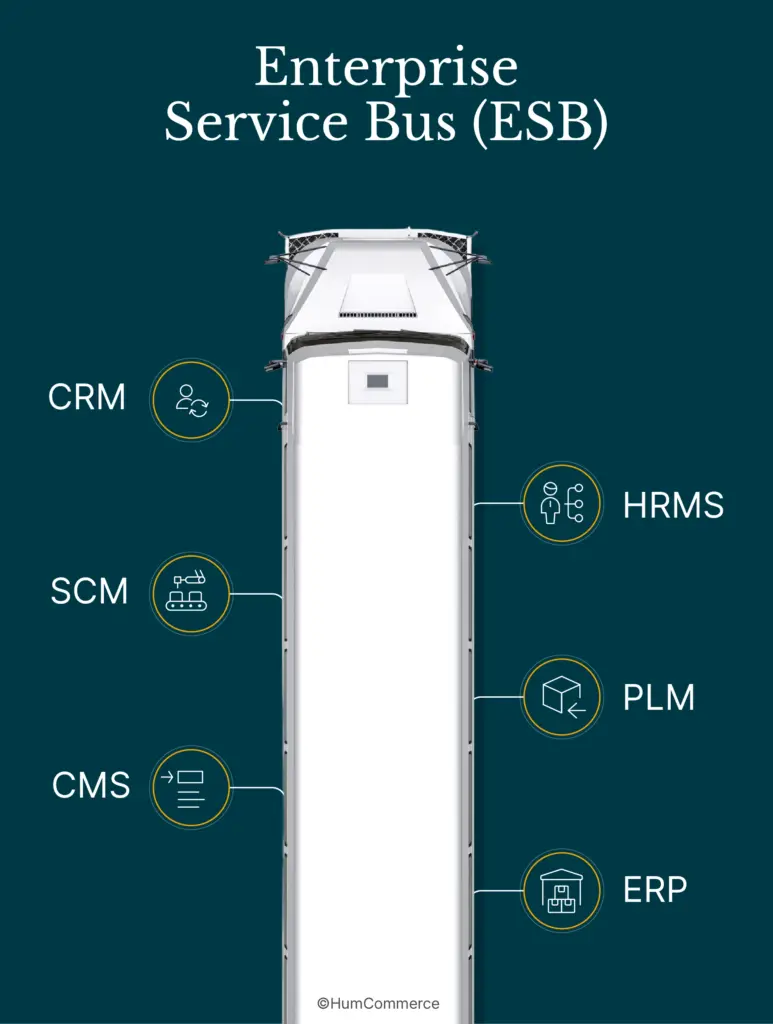
Most integration failures don’t happen during implementation.
They happen months earlier. During planning. When someone says “we’ll figure that out later” and everyone nods along.
Your integration architecture isn’t just technical plumbing, it’s the foundation that determines whether your Magento-ERP connection becomes a business asset or an expensive liability. Get the foundation wrong, and everything built on top starts cracking under pressure.
Lack of Pre-Integration Data Audit
Here’s what happens when you skip the data audit:
Your product catalog looks clean in Magento. Then you map it to Epicor. Suddenly, 30% of your SKUs have attribute inconsistencies that would crash inventory management. Now you’re three weeks into implementation, discovering problems that should’ve been caught on day one.
Your pre-integration data audit works like a foundation inspection before building a house. Skip it, save some time upfront. Pay for it later when the walls start shifting.
During the audit, your team needs to tackle four critical areas:
Identify and fix discrepancies across every data entity. Products, customers, orders if it moves between systems, it needs to be consistent.
Standardize data formats so systems can actually talk to each other instead of arguing about date formats and decimal places.
Remove duplicate entries before they create synchronization chaos. One customer with three different IDs becomes a fulfillment nightmare.
Document data hierarchies so you know exactly how information flows between systems.
“We thought our product data was clean until we started mapping it to Epicor,” one eCommerce manager told us. “We discovered over 30% of our SKUs had attribute inconsistencies that would have caused major inventory problems had we proceeded without fixing them.”
The timing matters too. Data hygiene problems that seem manageable during low-traffic periods become system-breaking disasters during peak sales seasons. When Black Friday hits and your integration starts choking on bad data, there’s no time to fix the foundation.
Without clear mapping rules for customer profiles, product information, and order details, integration stops being a structured process [9]. It becomes expensive guesswork with your business operations as the testing ground.
Ignoring Magento 2 ERP Integration Best Practices
Even experienced development teams fall into this trap. They build what looks like a successful integration, then watch it crumble under real-world conditions.
The critical mistake? Rushing past workflow analysis. Before writing a single line of integration code, you need to understand how data actually moves through Magento product types, attribute sets, individual attributes. This analysis becomes your blueprint for connecting technical implementation with actual business processes.
Then there’s the synchronization timing decision. Real-time updates sound appealing until constant data transmission starts choking your servers. During peak traffic, your site performance tanks just when you need it most.
Here’s what separates successful integrations from expensive failures:
Data flow definition – Map exactly how information travels between systems, not just assume it’ll figure itself out
Security protocol implementation – Protect sensitive data during transmission because breaches cost more than prevention
Error handling mechanisms – Build systems that detect, log, and resolve issues before customers notice
Integration testing – Validate functionality with real-world scenarios, not just happy-path examples
Real-time versus batch processing is a business strategy decision. Inventory levels need immediate synchronization to prevent overselling. Product descriptions? They can wait until weekly batch updates without impacting sales.
“One client demanded real-time synchronization for everything,” a senior integration specialist explains. “Their site crawled during peak hours. We restructured to batch non-critical data while keeping real-time updates for inventory and orders. Performance improved dramatically.”
Most businesses also underestimate post-integration monitoring. Without monitoring systems, problems hide until they explode into customer-facing disasters [10].
Success requires business ownership, not just technical execution. When business stakeholders drive the vision and requirements instead of leaving everything to the technical team, success rates jump significantly.
Ready to evaluate your integration architecture before problems surface? Get a free 30-minute consultation with our CEO to identify potential issues while they’re still fixable.
Your integration architecture determines whether Magento and your ERP work together or against each other. Get the planning right, and integration becomes a competitive advantage. Skip it, and you’re building an expensive house of cards.
Pitfall 2: Inadequate Product Data Mapping Between Magento and KBMax
Product data mapping is where good intentions meet harsh reality.
You’ve got a product in Magento. Looks clean. All the attributes filled out. SKU makes sense. Then you try to push it through to KBMax for configuration, and everything breaks.
The configurator can’t find the right attributes. The variants don’t match. The pricing structure gets mangled. Your beautiful product becomes digital garbage somewhere between the two systems.
This isn’t a small technical hiccup. This is your entire sales process grinding to a halt.
Mismatch in Product Attributes and Variants
Magento and KBMax don’t just disagree on how to handle products. They disagree on what a product even is.
Take configurable products. Seems straightforward, right? Wrong. Import simple products first, then configurable ones, reverse this order and you get broken product relationships. Not a suggestion. A requirement. Miss this sequencing and parent-child relationships shatter across your entire catalog.
But that’s just the beginning.
Attribute mapping gets uglier fast. Your export instance has an attribute that looks perfect. But if it’s not properly assigned to the corresponding attribute set in your import instance, those values fail to match during import. The data just vanishes. No error message. No warning. Gone.
Here’s what breaks most often:
- Websites and store views that don’t match exactly across import/export instances
- Attribute sets that should be identical but aren’t
- Entity key delimiters configured differently between systems
- Bundle and configurable product attributes that need special handling
“What looks like a simple product in Magento turns into a mapping nightmare for KBMax,” one integration specialist told us. “Each system has its own idea of what makes a ‘product,’ and getting them to agree is like mediating a divorce.”
The damage spreads everywhere. Failing to properly map Google Merchant Account attributes with Magento store attributes blocks product export entirely [5]. Attribute mapping conflicts create cascading technical failures: PHP errors during attribute processing, extension conflicts that block export functionality, data integrity issues that terminate export processes.
Date-related fields present their own special hell. Save a product with date input fields like “news_from_date,” and the values sometimes reset to default or change unexpectedly. Time-sensitive promotions become impossible to synchronize between systems.
Picture this: Your team spends hours building a complex product configuration in KBMax. Dozens of customization options. Perfect product logic. Ready to sell. Then it tries to sync back to Magento, and the attributes don’t align. Corrupt data. Incomplete orders. Complete synchronization failure.
KBMax to Magento Configurator Sync Issues
KBMax configurators promise complex product customization. But getting that complexity to play nice with Magento? That’s where promises meet reality.
Technical integration between these systems generates cryptic errors that make no sense. Try to create a new KBMax configurator and you get “KBMax Configurator must be selected” even when you’ve followed every documented step. These errors usually mean missing modules or incomplete setup between systems—but good luck figuring that out from the error message.
Export failures hit you when you least expect them. Background tasks that should process automatically just… don’t. Export tasks stay pending indefinitely in database tables. The usual suspects:
- Crown job configurations that prevent export completion
- PHP memory limitations killing processes mid-stream
- Server resource constraints causing stalled export tasks
- Background processing hitting queue delays
Without vigilant monitoring, export file access becomes another problem. Filesystem permission issues block CSV creation. Admin security settings interfere with download links. Queue processing delays hide completed export files.
The synchronization between KBMax’s configurator capabilities and Magento’s product structure demands surgical precision. When this relationship breaks, customers hit frustrating errors during configuration or discover their custom configurations don’t translate into orderable products.
Real-world implementation reveals another insidious problem: updates that appear successful but fail to persist after saving. Developers think the update worked. Integration appears successful. Then later, critical configuration data is missing because it never actually synchronized.
Need help solving your Magento-KBMax product mapping challenges? Take advantage of our free integration audit to pinpoint synchronization problems before they impact your customers.
Product data mapping isn’t just about technical compatibility. It’s about creating seamless customer experiences across both platforms. Address attribute mismatches and configurator sync issues before they become customer-facing disasters.
Pitfall 3: Delayed Order and Inventory Sync with Epicor P21
Order delays between Magento and Epicor P21 don’t just slow things down. They kill deals.
A customer clicks “Buy Now” at 2 PM. Your Magento shows the item in stock. But your P21 system? It processed a bulk order three hours ago that wiped out inventory. The sync hasn’t caught up.
Now what? You’re explaining to an angry customer why their “confirmed” order just got canceled. Again.
This isn’t about technical elegance. It’s about money walking out the door because your systems can’t talk to each other fast enough.
Real-Time vs Batch Sync Tradeoffs
Most businesses think real-time sync is always better. It’s not.
Real-time synchronization sounds perfect instant updates across systems, no lag, no overselling. Both Magento and P21 stay perfectly aligned on inventory, orders, customer data. The customer sees exactly what you have, when you have it.
But constant data transmission hammers your servers. During peak sales periods, that “instant” sync can slow your site to a crawl. Customers abandon carts because pages won’t load.
Batch processing takes a different approach. Updates happen at scheduled intervals—every 15 minutes, every hour, whatever fits your business. Your servers breathe easier. API calls don’t spike during checkout rushes.
The tradeoff? Data lag. That inventory count might be 20 minutes old when a customer sees it.
Real-Time Sync Wins:
- No overselling disasters
- Orders hit P21 immediately
- Customer-specific pricing stays current
- Shipping updates reach customers instantly
Batch Sync Wins:
- Servers handle peak traffic better
- API limits don’t get blown out
- Bulk data moves more efficiently
- Both systems perform smoother under load
Smart businesses pick a hybrid approach. Inventory counts and order status? Real-time. Product descriptions and customer purchase history? Batch those overnight.
One integration specialist puts it bluntly: “We had a client demanding real-time sync for everything. Their site crawled during Black Friday. We restructured—kept inventory real-time, moved the rest to batch. Site performed, sales didn’t suffer, everyone stayed happy.”
The choice comes down to business impact, not technical convenience. Manual entries contain errors roughly 4.7% of the time which is why automated sync, whether real-time or batch, beats human data entry every single time.
Magento ERP Integration Module Configuration Errors
Small configuration mistakes create big problems. The kind that don’t show up until your busiest sales day.
Epicor P21 and Magento handle data completely differently. P21 wants everything structured, locked down, predictable. Magento stays flexible, adaptable, ready for changes. When these systems try to sync without proper mapping, chaos follows – wrong inventory levels, delayed orders, pricing that makes no sense.
The usual configuration disasters:
Broken API connections – Missing authentication tokens, wrong endpoint URLs, timeouts that kill requests halfway through
No error handling – Systems fail silently, problems pile up undetected until customers start complaining
Field mapping disasters – Magento attributes don’t line up with P21 fields, data gets lost or corrupted in translation
Timeout settings too short – API calls die before completing, leaving partial updates scattered across systems
Queue processing failures – Background tasks get stuck, orders pile up in limbo
“Configuration intervals trip up most businesses,” explains a senior developer. “They set unrealistic timeframes that overwhelm servers or blow through API call limits. Then wonder why everything breaks during peak hours.”
P21’s default APIs often can’t handle what Magento needs. Custom API development becomes essential for connecting Magento with Epicor P21 [14]. Without it, you’re stuck syncing only basic data, missing the complex product relationships and customer-specific pricing that actually drive sales.
Testing gets skipped too often. Businesses deploy integrations without running them through realistic scenarios. Result? Synchronization failures that surface when customers are actually trying to buy.
Your integration is only as reliable as your middleware. If the connector crashes, your entire data flow stops, sync disruptions, mismatched data, orders that go nowhere. Picking stable middleware isn’t optional.
Data compatibility creates another headache. Adobe Commerce and Epicor P21 use different formats, have different requirements. Without understanding how data flows and maps between systems, integration becomes guesswork.
The cost of poor synchronization shows up everywhere: inventory that’s wrong, orders that don’t ship, pricing that confuses customers, trust that evaporates. One major retailer tracked synchronization delays costing them $23,000 monthly in canceled orders alone.
Pitfall 4: Overreliance on Manual Data Reconciliation
Your integration works. Your systems talk. But someone still has to babysit every transaction.
That’s the silent killer nobody talks about.
Manual reconciliation processes don’t just slow you down, they bleed profits you’ll never see . Even businesses running sophisticated platforms like Epicor and KBMax still rely on staff to manually transfer, verify, and fix critical data between systems. Creating a vulnerability that grows worse with every order.
Human Errors in Order Fulfillment
Manual data entry isn’t just inefficient. It’s dangerous.
Approximately 4.7% of all manual entries contain errors. Doesn’t sound like much? Multiply that across thousands of daily transactions and watch the damage compound.
Here’s where it breaks:
- Wrong products picked: Warehouse grabs the wrong SKU, customer gets disappointed
- Shipping disasters: Packages sent to old addresses, requiring expensive re-shipping
- Pricing chaos: Manual reconciliation between Magento and ERP creates billing disputes
- Double processing: Same order handled twice because nobody caught the duplicate
The real cost? Organizations lose an average of 5% of annual revenue due to fraud that manual processes miss. Manual reconciliation creates blind spots. Patterns stay hidden. Problems fester until they explode.
But here’s what kills: the timing.
“Juggling multiple tasks like inventory management, order processing, and customer data handling can overwhelm staff, potentially causing human errors,” notes a fulfillment expert. Peak sales periods – Black Friday, end-of-quarter pushes – exactly when you need accuracy most, that’s when manual processes collapse under pressure.
Speed dies too. Automated order fulfillment runs 3X faster than manual methods. Faster processing. Fewer errors. Happier customers.
Picture this: Customer orders through Magento. Staff manually checks P21 inventory. Manually creates fulfillment. Manually reconciles afterward. Every step introduces error risk. Every step slows delivery.
Your competitors using automated fulfillment? They’re shipping while you’re still reconciling.
Lack of Automated Sync Validation Tools
Manual validation is like using a magnifying glass when you need a microscope.
Companies using automated reconciliation see 50% fewer compliance risks than manual operations. Why? Because automated systems catch what humans miss. Every time.
Automated validation creates safety nets:
- Cross-system checks: Instantly compares Magento and ERP data points
- Pattern detection: Spots anomalies that indicate errors or fraud
- Consistent application: Never varies in attention like human checkers do
Without automation, you get “guesswork accounting”, staff making best-guess decisions when information doesn’t match. As transaction volume grows, guesswork becomes gambling.
“Implement robust error-handling mechanisms to detect, log, and resolve issues promptly. A proactive approach to error management ensures the integrity and consistency of integrated data,” advises a technical integration specialist. Most businesses still lack these basic mechanisms.
Essential validation components:
- Automated workflows comparing data across systems
- Real-time alerts flagging discrepancies instantly
- Resolution tracking ensuring issues get closed
- Performance metrics measuring error rates and fix times
Without validation tools, your finance team faces an impossible choice: fast reports or accurate reports. Pick one. Stress and data integrity problems follow either choice.
Smart businesses implement barcode scanning during fulfillment. Automated validation against original orders. Every item verified digitally. Manual guesswork eliminated.
Testing before deployment saves disasters later. “Conduct thorough tests simulating real-world scenarios. Identify and rectify any discrepancies, and implement comprehensive error-handling mechanisms,” recommends an integration specialist.
The pattern is clear: manual reconciliation creates risks that compound over time. Small errors become big problems. Process bottlenecks become customer complaints.
Focus automation where mistakes cost money. Keep human oversight where judgment adds value.
Pitfall 5: Ignoring Middleware or iPaaS Solutions
Your development team builds a direct connection between Magento and your ERP.
It works. For a while.
Then your ERP updates. The connection breaks. Your developer who built it? He left six months ago. And nobody documented how it actually works.
Sound familiar?
Direct API connections might seem cheaper upfront. But they become expensive fast when you factor in maintenance, documentation, and the risk of total failure when systems update.
That’s where middleware comes in.
Benefits of Using Dell Boomi or Celigo for Magento ERP Integration
Middleware isn’t just another tool in your tech stack. It’s insurance against integration disasters.
Dell Boomi handles the heavy lifting between your systems through a cloud-based platform designed for complex ERP environments. With over 20,000 global customers and ten years of Gartner Magic Quadrant recognition, they’ve seen every integration scenario that can break.
Here’s what that experience gets you:
Data integrity that doesn’t break under pressure – Strict validation catches errors before they corrupt your entire data flow Low-code tools – Extend ERP capabilities without rebuilding everything from scratch
Automated processes – Reduce manual errors across departments Single management platform – Control all integrations from one place
Take Celigo’s Magento-specific features. Built for businesses that need to scale without breaking:
- Handle order volumes from hundreds to millions without performance drops
- Advanced configuration based on real implementation experience
- Specialized features like payouts reconciliation, settlement reconciliation, and line-level promotions
- Real-time monitoring dashboards with instant alerts
The key advantage? Pre-built connectors that eliminate months of custom development. Instead of coding complex connections, you design workflows visually through centralized data exchange hubs.
Your team focuses on business logic. The platform handles the technical complexity.
When to Avoid Direct API Integrations
Direct API connections seem straightforward until they’re not.
The problems start small. Poor documentation. Hard-coded values. Custom logic that only one person understands. Then that person leaves, and you discover your entire integration is held together by digital duct tape.
iPaaS solutions prevent these disasters through:
- Shared team access – Everyone can see how the integration works
- Auto-generated documentation – Visual workflows document themselves
- Professional support – You’re not alone when problems arise
But the real issue with direct connections is scale. What works for 100 orders breaks at 1,000. What handles 1,000 crashes at 10,000. Point-to-point connections create bottlenecks that middleware solutions eliminate.
Security matters too. iPaaS platforms include enterprise-grade security features – data encryption, access controls, audit trails. Critical protection for maintaining ERP system integrity and preventing unauthorized access.
Small to medium businesses benefit most from pre-built connectors – cost-effective solutions that work immediately. Large enterprises with complex requirements need customization options, but even they benefit from starting with proven connectors rather than building from scratch.
The decision isn’t just technical. It’s strategic.
Direct connections create technical debt that compounds over time. Middleware creates scalable infrastructure that grows with your business.
Get to know more about our work with FHC Case study.
Pitfall 6: No Post-Integration Monitoring or Support Plan
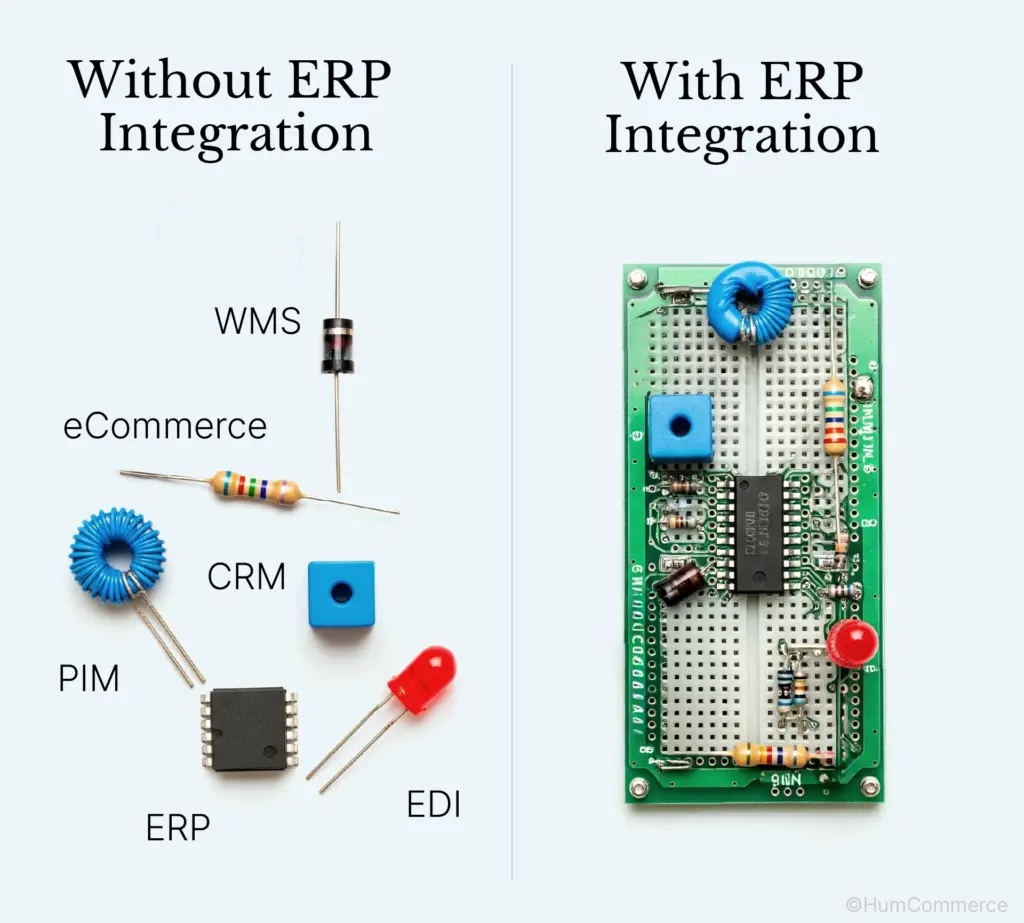
!Diagram comparing isolated systems without ERP integration and connected systems with ERP integration in 2025.
The integration goes live. Everyone celebrates.
Then reality kicks in.
Most businesses treat integration completion like crossing a finish line. Project marked complete. Team moves on. Success story gets shared in the next all-hands meeting.
But here’s what nobody mentions: integration success isn’t a moment. It’s a marathon.
Three weeks later, orders start failing silently. Inventory drifts out of sync. Customers complain about wrong stock levels. And nobody realizes the integration is slowly falling apart because nobody’s watching.
The Silent Decay Problem
Lack of automated integration health monitoring creates what industry insiders call “silent decay” the gradual breakdown of integration performance that happens below your visibility threshold. Unlike server crashes or website outages, integration failures don’t announce themselves with flashing red alerts.
They whisper. They hint. They slowly bleed profits until someone finally notices the pattern.
Think about it: your Magento-ERP integration processes thousands of transactions daily. When 2% of those transactions start failing, do you know? When inventory sync delays by 15 minutes, does anyone catch it? When order data gets corrupted but still passes through the system, how long until discovery?
Without monitoring tools like Nagios or New Relic tracking integration performance in real-time, businesses operate blind. The integration looks functional while quietly breaking in the background:
- Order sync delays that customers blame on “processing time”
- Inventory discrepancies that warehouse teams manually correct
- Pricing inconsistencies that sales reps override without questioning
What Monitoring Actually Catches
Regular reviews expose bottlenecks before they become customer-facing problems. More importantly, they reveal patterns that manual oversight misses entirely.
Consider what proactive monitoring caught for one manufacturing distributor:
- API timeout issues causing 3% of orders to process with 24-hour delays
- SKU mapping conflicts resulting in wrong products shipped to 12 customers monthly
- Pricing rule failures that cost $847 per week in margin erosion
None of these problems triggered system alarms. All of them cost money.
Forward-thinking businesses build automated recovery procedures for common failure scenarios. When sync delays occur, backup processes kick in. When API calls fail, retry logic activates. When data conflicts arise, resolution workflows trigger automatically.
This isn’t about preventing every possible failure. It’s about containing failures before they cascade into operational disasters.
The Integration Health Checklist:
- Real-time sync status monitoring across all data types
- Performance benchmarking against established baselines
- Error pattern analysis to identify emerging issues
- Automated alerting for critical threshold breaches
- Recovery procedure testing and validation
Want to future-proof your Magento ERP integration? Download our eBook showcasing successful implementation strategies. Learn how leading businesses maintain optimal integration performance through proactive monitoring and support.
Six pitfalls. Hundreds of failed integrations. Millions in lost revenue.
But it doesn’t have to be your story.
Most businesses treat Magento ERP integration like a technical project. Connect the APIs. Map the data. Ship it. But that’s exactly why so many integrations fail six months later when real business pressures hit.
The truth? Integration success isn’t about perfect code or flawless architecture. It’s about understanding where systems break under pressure and building defenses before they do.
Poor planning kills integrations before they start. Data mapping errors create customer-facing disasters. Sync delays cost you orders. Manual reconciliation bleeds profit. Direct API connections create technical debt that compounds over time. And without monitoring, problems fester until they explode.
These aren’t edge cases or rare technical glitches. They’re predictable patterns that sink integration projects again and again.
When your integration works, customers don’t notice. Orders flow. Inventory stays accurate. Pricing syncs. Everything just works.
When it breaks? Customers notice immediately. Delayed orders. Wrong inventory counts. Pricing errors. Trust erodes fast.
The companies getting this right aren’t just avoiding problems—they’re creating competitive advantages. Their operations run smoother. Customer experience improves. They scale without the technical debt that cripples their competitors.
Most importantly, they stop seeing integration as a technical burden and start treating it as strategic infrastructure.