
Important Points
- Outdated versions or extensions are the main cause of most security problems. Always install the most recent updates.
- Change the URL of your admin panel, turn on two-factor authentication (2FA), and only let trusted devices or IPs access it.
- To keep all transactions and logins safe and private, make sure your website has a valid SSL certificate.
- Stay away from themes that are free or not verified. Badly coded designs can make your store vulnerable to hacks and security holes.
- Make backups every so often in case you lose data, get ransomware, or are attacked online.
- Limit who can see or change sensitive store files on your server.
- You can spot threats early by keeping an eye on logins, system changes, and error alerts.
A pharmaceutical distributor woke up to find that hackers had broken into their Magento store while they were sleeping.
They had stolen customer payment information, changed the prices of orders, and added harmful code to checkout pages within 24 hours.
What caused it? A CVE-2026-54236 vulnerability that affected 62% of Magento stores around the world six weeks after it was made public. They had to pay $2.4 million in fines, lawsuits, and lost customer trust because of the breach.
This isn’t just a made-up situation.
In October 2026, more than 250 Magento stores were hacked in just one day. The hackers took advantage of known vulnerabilities that had been patched for weeks. For B2B and DTC eCommerce companies, security is important for keeping customers safe. Every day that your Magento store has an unpatched security hole, your customer data, payment information, and business reputation are at risk.
Magento security holes range from serious remote code execution flaws to sneaky cross-site scripting attacks that are hidden in custom theme code. This guide lists the most serious Magento security threats for 2026, explains why they are bad for your business, and gives you step-by-step instructions on how to make your store less vulnerable to breaches.
How much more Magento Security Vulnerabilities Cost Than You Think
When a hacker breaks into a Magento store, the damage to the store’s finances and reputation goes far beyond the hack itself. Take a look at all the costs:
- Fines for not following the PCI DSS rules can be $5,000 to $100,000 a month, plus chargeback fees.
- Legal Liability: If customer data is stolen, mid-sized stores could face lawsuits from affected customers that cost more than $2 million.
- Lost Sales: Customers leave stores after security breaches. A single breach can lead to a 25% to 40% drop in repeat purchases.
- Operational Downtime: Fixing the problem, doing a forensic investigation, and getting the system back up and running can take weeks and cost high-volume stores $50,000 or more in lost sales every day.
- Erosion of Reputation: A security breach can damage a brand’s reputation for years, especially for B2B companies where trust is very important.
Magento 2 stores that sell regulated goods like pharmaceuticals, financial services, and luxury goods have the most to lose if their data is stolen. This is because data breaches lead to more compliance audits and customer trust issues.
Let’s find and fix the security holes that are putting your Magento store in danger.
The 10 Most Important Security Holes in Magento and How to Fix Them
Magento security keeps your business, customers, and good name safe.
Don’t worry if you’re not a developer; this is a simple explanation of the biggest Magento security risks in 2026 and what you (or your team) can do to fix or avoid them.
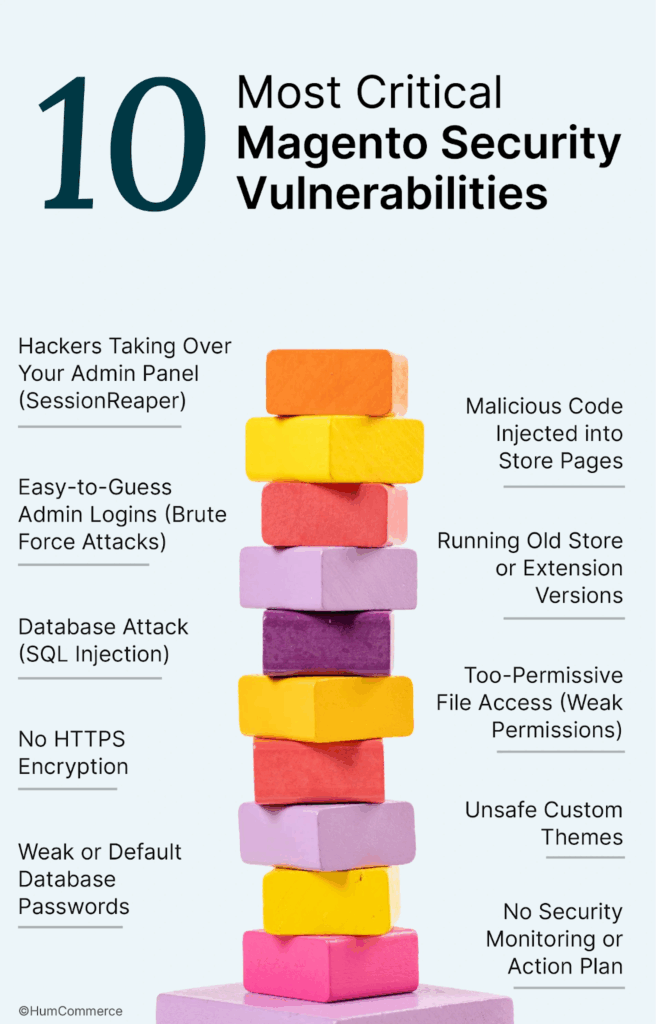
1. Hackers Getting Control of Your Admin Panel (SessionReaper)
Hackers figured out how to get into Magento admin panels without knowing a password. They did this by tricking the system. They can steal customer information or keep you out once they’re inside.
How to fix it:
- Tell your developer or agency to install the latest security updates (patches) from Adobe.
- Make sure that admin sessions end quickly and that only secure cookies (HTTPS) are allowed.
- Watch for strange admin login activity, such as logins at strange times or from places you don’t know.
2. Cross-Site Scripting (XSS) puts bad code into store pages.
Some hackers trick your website into running bad code that can steal payment information or customer accounts.
How to fix it:
- Use developers you trust and don’t change the code on your own.
- To find these problems, ask for a security scan or audit of your theme.
- For extra safety, use a website firewall like Sucuri or Cloudflare.
3. Admin logins that are easy to guess (brute force attacks)
If your Magento admin panel still uses the default login URL (like /admin) or easy passwords, you are an easier target.
How to fix it:
- Make sure your admin panel web address is one of a kind.
- Enable two-step verification (2FA) for everyone on the team.
- Allow logins only from devices or places that you know and trust.
4. Using Old Versions of Store or Extension
Hackers love to break into stores that haven’t updated their Magento core software or extensions (extra features). They read published fix details and then break in.
How to fix it:
- Set up regular updates for your Magento store and its add-ons, at least once a month.
- Use extensions only from trusted sources that regularly release security updates.
5. Attack on the database (SQL Injection)
Sometimes, attackers can use website forms or URL tricks to get into your database and steal information about customers or orders.
How to fix it:
- Don’t let people who aren’t tech-savvy change code or database settings.
- Pick a host or development partner that has a good track record when it comes to security.
6. File access that is too easy (weak permissions)
Hackers can change, delete, or add harmful files to your server if the files and folders on it aren’t properly protected.
How to fix:
- You should ask your hosting company or IT team to make sure that no files can be written to by anyone.
- Only tech admins who can be trusted should be able to see sensitive files and folders.
7. No encryption with HTTPS
If your site doesn’t have a padlock and “https://”, attackers can see customer data as it moves. This also affects trust and the ability to process payments.
How to fix it:
- Get an SSL certificate (your hosting company can help, and there are free options).
- Always use secure links on your site, especially when people are checking out.
8. Custom Themes That Aren’t Safe
If you don’t code your custom themes securely, hackers may be able to add bad scripts without you knowing it.
How to fix it:
- Make sure to only hire theme developers who are known for doing good work.
- To make sure that no sensitive data is shown or collected, ask someone to look over your theme code.
9. Passwords for weak or default databases
Hackers can get into your store’s database easily if it uses “easy” or default passwords.
How to fix it:
- Make sure that every password is different and hard to guess.
- Change them often and only give them to team members you trust.
10. No plan or monitoring for security
You might not find out about a hack until it’s too late if you don’t keep an eye on things or have a plan for what to do during an attack.
How to fix:
- Set up alerts for strange things that happen, like failed logins or new admin accounts.
- Make sure you know who is in charge of security issues and have a plan for backing up and recovering data.
- There are free tools and managed services that can help you find problems on your site on a regular basis.
To sum up
- Keeping your site, themes, and extensions up to date, as well as making sure that your passwords, permissions, and admin panel are all secure, can help keep most hacks from happening.
- Two-factor authentication (2FA), SSL certificates, and regular security checks are easy wins, even for store owners who aren’t very tech-savvy.
- If you’re not sure, work with an expert like HumCommerce to do regular audits and give you peace of mind.
In Summary
- Most hacks can be prevented by keeping your site, themes, and extensions up to date—and checking that your passwords, permissions, and admin panel are locked down.
- Two-factor authentication (2FA), SSL certificates, and regular security checks are easy wins—even for non-technical store owners.
- When in doubt, partner with an expert like HumCommerce for regular audits and peace of mind.
Stopping Magento Security Flaws Before They Happen
Reactive patching keeps your store running, but proactive security stops breaches from happening in the first place.
Set up regular security checks.
Use both automated tools (like MageReport and the Site-Wide Analysis Tool) and manual penetration testing by certified security professionals to do full security assessments every three months.
Start a program for managing vulnerabilities
Sign up for Adobe security bulletins, turn on automatic patch notifications, and stick to a strict schedule for testing and installing security updates.
Install a Web Application Firewall (WAF)
Set up a cloud-based WAF like Cloudflare or Sucuri to stop XSS, SQL injection, and DDoS attacks before they get to your server.
Make sure access controls are strong
Set up 2FA for all admin accounts, allow admin access only from certain IP addresses, and keep detailed records of all admin activities.
Update Your Theme and Extensions
Use themes and extensions only from well-known companies. Make sure they are always up to date with the latest versions so that security patches can be applied.
Use Managed Security Services
HumCommerce’s Managed Security Services include 24/7 monitoring, automatic patch deployment, vulnerability assessments, and emergency incident response.
When to Get Help from Security Experts
Some security threats need special knowledge and a quick response:
- Active Breach: strange admin logins, customers reporting fraud, and malicious redirects found on your site.
- Failed PCI Audit: There are gaps in compliance that need to be fixed and documented by an expert.
- Critical Vulnerability Discovery: A zero-day or critical CVE that needs to be patched right away and checked to make sure your store wasn’t hacked.
- Ransomware Attack: If malware holds your data hostage, you need to know how to do forensic investigations and negotiate.
The HumCommerce team can stop breaches, fix malware, restore clean backups, and do post-incident forensics in hours instead of days.
Conclusion
In conclusion
Magento security holes are direct threats to your income, customer trust, and the law. Every day that a CVE is not patched in your store is a day when your data is at risk of being stolen.
The good news is that you can stop most Magento security breaches from happening. Patching Magento, checking custom code, using two-factor authentication (2FA), and keeping an eye on logs get rid of 95% of ways that attackers can get in.
The problem is that security needs constant attention. Every month, new security holes are found. Testing is needed for patches. You need to keep an eye on the logs. Members of the team need to be trained.
That’s when HumCommerce comes in. Our Managed Security Services are available 24/7 and take care of threat monitoring, patch management, vulnerability assessments, and emergency incident response. This lets you focus on growing your business instead of protecting it from hackers.
Our team will find any security holes in your Magento store, check to see if you’ve been hacked, and make a custom plan to make it more secure. We can usually fix serious security holes and add extra layers of protection within 48 hours.
Your business runs on your Magento store. Check that it is safe.