
TL;DR
- Choose NetSuite if you have a global business, need a single ERP+CRM+Commerce system, make between $20 million and $500 million a year, and think SaaS first. Total cost of ownership (TCO): $200,000 to $800,000 (for five years and 50 users).
- If you already have Microsoft 365, need Power BI analytics, do moderate manufacturing, and make $10 million to $100 million a year, choose Dynamics 365. Cost of Ownership (TCO): $150,000 to $600,000.
- If you wish to grow your business internationally, have SME-level enterprise finances, make between $5 million and $50 million a year, and want perpetual licensing, choose SAP Business One. Total cost of ownership: $100,000 to $400,000.
- Choose Epicor if you need to control the shop floor (97% coverage), have complicated BOMs, or work in the automotive, aerospace, or industrial fields. Total cost of ownership (TCO): $300,000 to $1.2 million or more.
- The 94% regret rate stems from picking a brand over a fit, not taking into account TCO by 50–200%, not managing change, and speeding the implementation.
- Get the ERP Vendor Comparison Matrix to see how each vendor scores on more than 50 categories, including as inventory management, pricing engines, and process automation.
In 2024, a global packaging company rolled out a new SAP-based ERP and discovered the hard way that go-live is not the finish line. Within one quarter, ERP issues forced the business into costly post-implementation remediation and uncomfortable explanations to investors.
They are not alone.
Mission Produce’s 2022 ERP rollout created inventory blind spots that led to “considerable fruit that was moved at below average returns or not fit for sale,” driving a multi‑million dollar hit to results in a single quarter. Hershey’s rushed ERP go‑live famously left more than $100 million in Halloween orders unfulfilled when the system couldn’t support peak‑season demand.
And it is not just a handful of horror stories. A 2025 survey of UK and Irish finance leaders found that 94% regret their ERP implementation decisions, citing spiralling costs, stressful rollouts, and systems that are under‑used or misaligned with the business.
Yet here you are, tasked with choosing between platforms like NetSuite, Microsoft Dynamics 365 Business Central, SAP Business One, and Epicor Kinetic for a program that will easily cross $500,000 in total investment.
Your CFO wants a decision within 90 days. Your COO needs it to handle complex manufacturing and supply chain flows. Your procurement and operations teams are drowning in manual work and error‑prone spreadsheets. If this implementation goes wrong, your name will be on the memo.
This is not another “top 10 ERPs” listicle. This is a decision framework grounded in current vendor data, recent failure case studies, and the post‑implementation patterns that separate ERP disasters from implementations that actually deliver ROI.
Why 2026 Is the Inflection Point for Manufacturing ERP Systems
The mid-market ERP landscape has fundamentally shifted in the past 18 months, and if you’re making decisions based on 2023 research, you’re already behind.
Microsoft increased Dynamics 365 Business Central pricing for the first time in five years.
NetSuite introduced AI-driven Prompt Studio and multivariate forecasting.
SAP Business One pushed further into cloud-first deployments with HANA analytics.
Epicor released Prism AI with more than 200 manufacturing use cases and announced the end of its Classic UI in the 2026.1 release.
This is a structural shift in the market.
Cloud ERP adoption is accelerating rapidly from $51.37M in 2025 to a projected $123.87M by 2032. Vendors are rebuilding their platforms around AI, with 63% offering machine-learning capabilities by 2025. Legacy systems are falling behind because they cannot keep pace with these changes.
For manufacturing and distribution companies with $25M–$500M in revenue, this creates a clear fork in the road. The right ERP will support scale, integration, and automation for the next decade. The wrong one locks you into a multi-year contract with a system that cannot grow with your business.
The stakes have never been higher. So let’s build the framework that prevents you from becoming the next statistic.
The Three Things That Make Up Your ERP Selection Criteria
After analyzing dozens of implementation failures and interviewing digital transformation leaders across manufacturing, pharmaceutical, and distribution sectors, three pain points emerge as universal decision drivers:
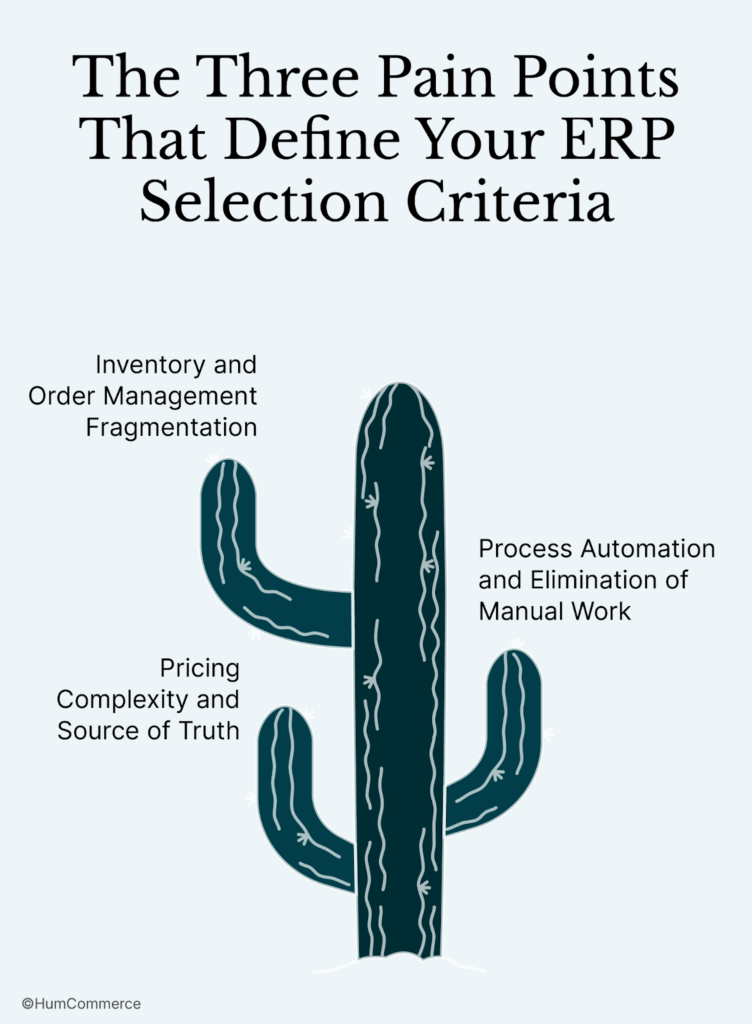
Pain Point #1: Having separate systems for managing inventory and orders
- A lot of mid-sized manufacturers utilize several systems for ERP, e-commerce, and running their warehouses.
- To find out things like whether items are in stock or the status of an order, teams often look at more than one source.
- When systems differ, spreadsheets become the backup mechanism. This makes more mistakes and lowers trust in the data.
- This fragmentation causes shipments to be late, promises to be broken, and trust in customers to drop.
- A modern ERP needs to show inventory in real time, have consistent data across all channels, and show the correct order status at all locations.
- The system should also work well with e-commerce and warehouse technologies so that everyone can access the same information.
Pain Point #2: Complicated pricing and the source of truth
- B2B producers sometimes have to deal with contract pricing, volume discounts, regional pricing, and promotional changes for various SKUs.
- Sales teams have a hard time making accurate quotes when pricing guidelines are just in spreadsheets or in their heads.
- Old prices cause margin loss and make customers’ experiences inconsistent.
- A centralized price engine that handles contract regulations, customer-specific exclusions, and bulk discount structures should be part of an ERP.
- Pricing should automatically go to e-commerce sites, quoting tools, and sales teams so that all channels utilize the same rationale.
Pain Point #3: Automating processes and getting rid of manual work
- Many businesses still place purchase orders by hand, keep track of inventory counts by hand, and match up orders and invoices across systems that don’t talk to each other.
- When you have to enter data by hand, it takes longer and makes more mistakes, especially during busy times.
- The bigger cost is strategic since teams spend time entering data instead of making things better or responding to changes in the market.
- A modern ERP should cut down on human work by automating things like making purchase orders, matching invoices, sending shipment notifications, and reconciling finances.
- Automation should be a major factor in choosing a system so that it may grow with the business instead of becoming outdated during the installation phase.
The Decision Framework: Five Pillars That Separate Signal from Noise
Generic ERP comparisons fail because they compare features in a vacuum. “Does it have multi-currency support?” isn’t the right question. The right question is: “Does it handle our specific multi-currency workflows for contract manufacturing with European suppliers and Mexican production facilities?”
Downloadable Tool:
Here’s the framework that forces the right questions: ERP Integration Readiness Checklist.
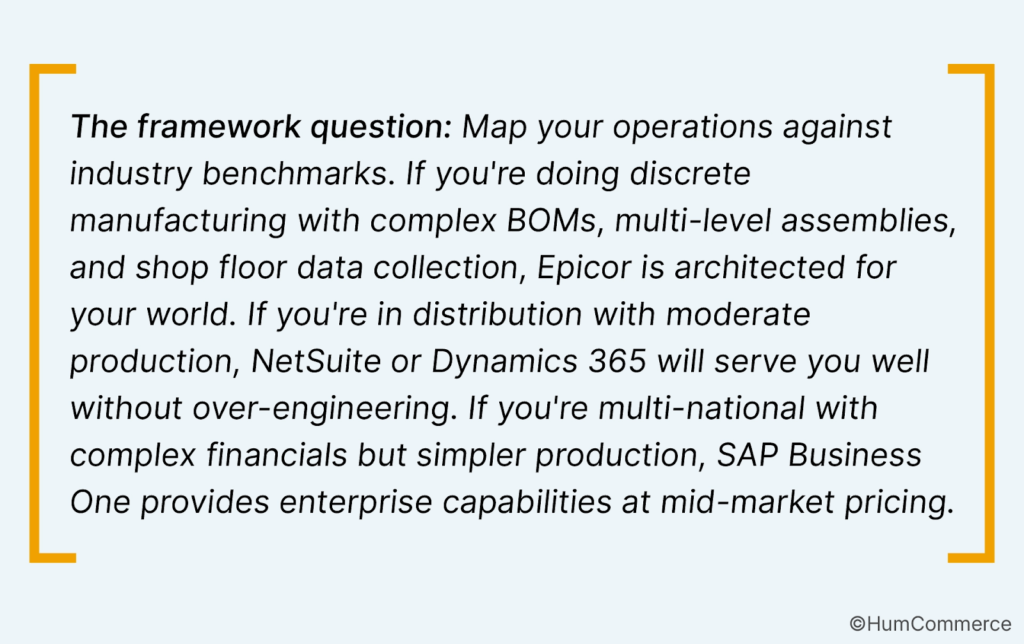
Pillar 1: Business Model Alignment – Not Every ERP Speaks Your Language
Discrete manufacturing (assembling components into finished goods) has radically different requirements than process manufacturing (mixing, blending, formulating).
Project-based manufacturers need job costing and project accounting. Made-to-order operations require sophisticated configurator integration. Distributors need advanced warehouse management and multi-location inventory.
The research indicates that –
- Epicor Kinetic covers 97% of the complicated needs of manufacturing, such as shop floor control, advanced scheduling, quality management, and engineering change management. This is third-party ERP review companies have looked at hundreds of factors to see how well the features work.
- Even though SAP Business One is made for businesses, it only meets 71% of manufacturing demands right out of the box. It does a great job with finances and running several businesses, but for complex production management, you’ll need to add on or change things.
- NetSuite and Dynamics 365 Business Central are in the middle of these two extremes. They do well with light to moderate manufacturing, but they have trouble with intricate bill-of-materials, shop floor connectivity, and quality traceability without a lot of customisation.
- Comparing Epicor, NetSuite, Dynamics 365, and SAP Business One as ERP systems based on how complicated they are to use
Pillar 2: Total Cost of Ownership
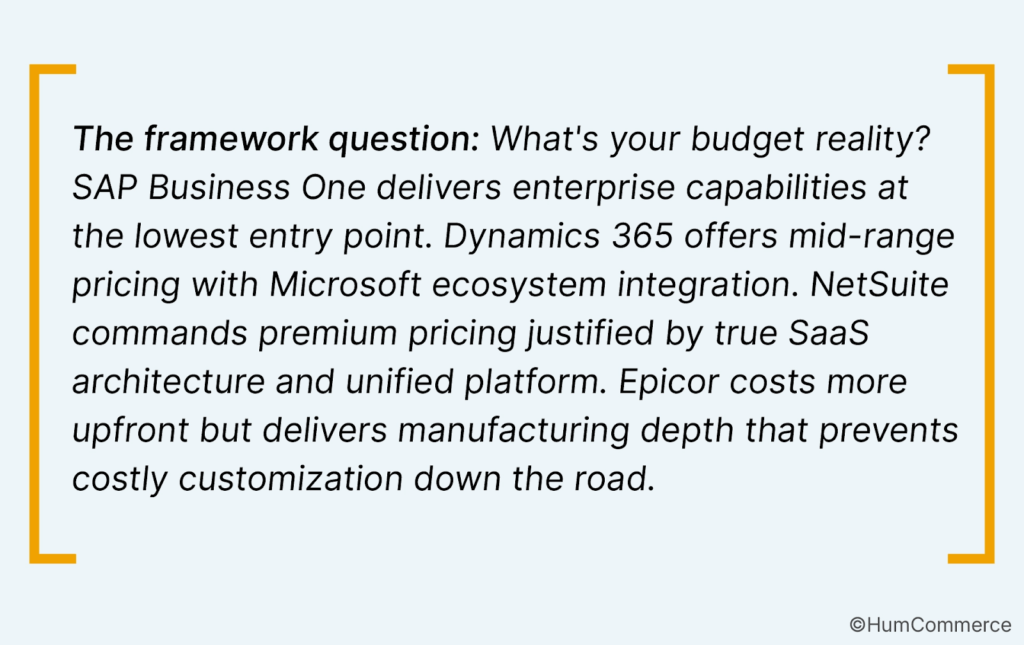
Every failed ERP implementation shares one commonality: underestimating the all-in cost by 50-200%. Vendor pricing pages show license fees. They don’t show the implementation partner charging $150-300/hour. They don’t show the data migration specialist you’ll need for six months. They don’t show the change management consultant who’ll save your project from user rebellion.
Real 2025 Total Cost of Ownership (5-year horizon):
NetSuite
- Base license: $999/month minimum
- Per-user: $99-$149/month
- Implementation: $50K-$300K+ (standard to complex)
- 5-year TCO: $300K-$1.2M for 25-50 users
- Low end: small company, minimal customization
- High end: multi-entity, integrations, customizations
Microsoft Dynamics 365 Business Central
- Essentials: $80/user/month (Nov 2025 increase)
- Premium: $110/user/month
- Implementation: $50K-$200K
- 5-year TCO: $250K-$750K for 25-50 users
- Add 20-30% buffer for hidden costs
SAP Business One
- Cloud: $110-$219/user/month (not $91)
- On-premise: $1,350-$3,500/user + 18-20% annual maintenance
- Implementation: $20K-$80K+ (typical SMB)
- 5-year TCO: $200K-$600K for 25-50 users
- Low end assumes cloud, minimal customization
- High end includes manufacturing complexity
Epicor Kinetic
- Subscription: $125/user/month (10-user minimum)
- Perpetual: $150K-$1M (comprehensive manufacturing)
- Implementation: $100K-$500K+ (manufacturing-focused)
- 5-year TCO: $500K-$2M+ for 25-50 users
- This is a manufacturing-grade ERP – costs reflect that
- Data migration, customization, integration for complex shops
Pillar 3: Integration Architecture
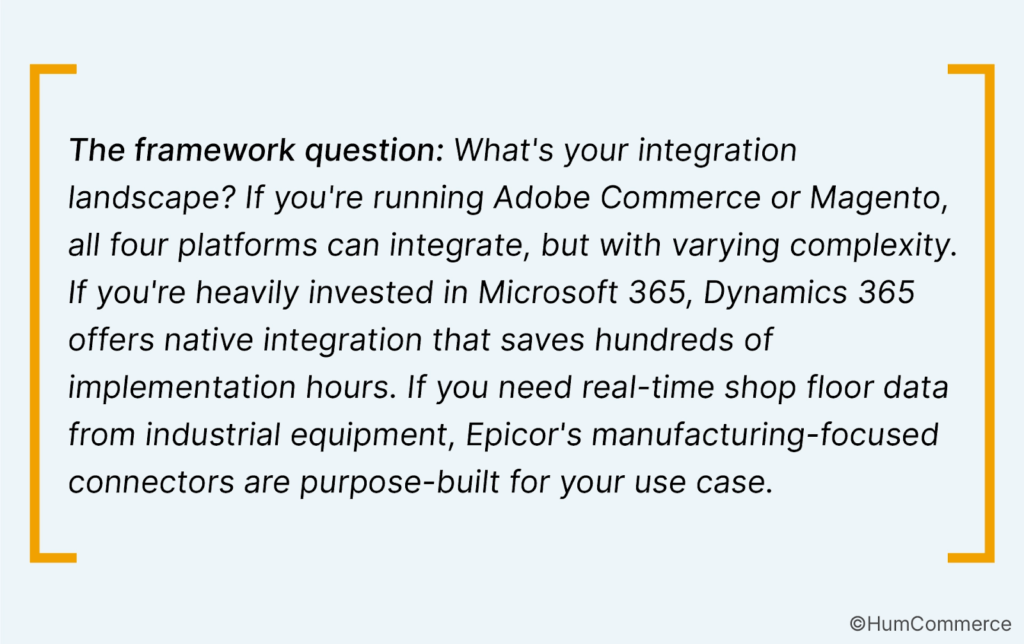
Here’s the truth nobody wants to admit: Your ERP doesn’t operate in isolation. It needs to talk to your e-commerce platform (Adobe Commerce, Shopify Plus), your CRM (Salesforce, HubSpot), your warehouse management system, your EDI partners, your payment processors, and your shipping carriers.
67% of ERP implementations fail due to integration issues. Not because the ERP is bad, but because the connective tissue between systems was underestimated, underfunded, or under-architected.
NetSuite’s ability to work with other programs:
- Native SuiteCloud platform for making your own integrations
- Connectors that are already created for big platforms like Salesforce, Shopify, and Amazon
- RESTful APIs with a modern design
- Strength: Being truly cloud-native makes it easy to access APIs
- Weakness: Some old systems need middleware
Integration with Dynamics 365 Business Central:
- Integration with Power Platform (Power Automate, Power BI, Power Apps)
- Embedding Microsoft 365 deeply (Outlook, Teams, Excel)
- Azure-native for services in the cloud
- Strength: If you’re already using Microsoft products, integration is easy.
- Weakness: You could need extra licenses for integrations that don’t use Microsoft.
Integration with SAP Business One:
- Service Layer for accessing RESTful APIs
- Real-time analytics with SAP HANA integration
- B1UP (Business One Upgrade) platform for add-ons
- Strength: Integration patterns that are good for businesses
- Weakness: Needs integration partners who are SAP-certified most of the time
Epicor Kinetic Integration:
- The Epicor Integration Cloud (EIC) platform
- Framework for REST APIs
- Services for connecting legacy systems to kinetic agents
- Strength: Connectors that are specific to manufacturing (MES, SCADA, IoT)
- Weakness: Not as many partners as SAP or Microsoft
Download our ERP Vendor Comparison Matrix for detailed integration capability scoring across 50+ platforms commonly used in manufacturing and distribution environments.
Pillar 4: Managing change and risk throughout implementation
More important than features is the timescale for implementing the ERP. If you have bad change management and a six-month ambitious deadline, you will fail every time. A gradual strategy over 12 months with support from executives and planned training works 3 to 5 times better.
Typical ERP implementation timelines (not what the vendor says):
It takes 4 to 8 months to set up SAP Business One normally, and 8 to 12 months with a lot of customization.
For mid-complexity, Dynamics 365 Business Central takes 6 to 9 months; for multi-entity, it takes 9 to 15 months.
NetSuite: 6 to 12 months, depending on how many modules and how hard it is to move data.
Epicor Kinetic: Full manufacturing implementation takes 9 to 18 months.
Common Ways That Implementations Fail:
- 40% of failures are due to not gathering enough requirements: choosing ERP before figuring out what success looks like
- Not enough training for users (35% of failures): going live with people who don’t know how to use the new workflows
- 30% of failures were due to bad data migration, which means not putting enough effort into cleaning and moving old data.
- Scope creep without changing the timeframe (45% of failures): Adding features in the middle of a project without pushing back the deadline
- 50% of failures were due to a lack of senior support. The project was seen as an IT project instead of a business change.
- Framework: 15–20% of the budget for an ERP implementation should go to change management, training, and support after the system goes live.
- If you can’t get an executive to back the idea, put it on hold. If you don’t have time to train users, you’ll be like Ranpak, which had to restate earnings because no one knew how to use the system correctly.
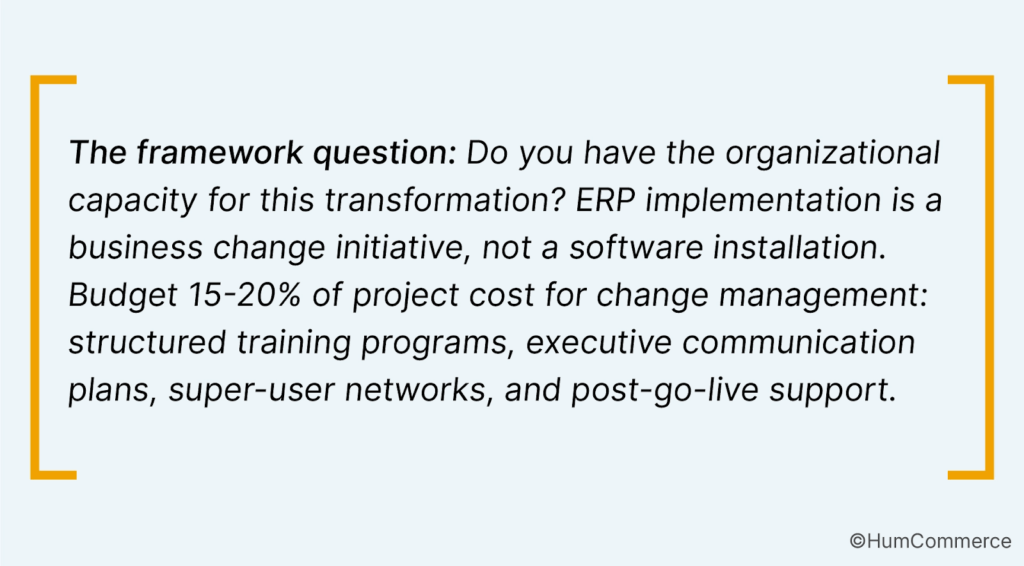
If you can’t secure executive sponsorship, defer the project. If you can’t allocate time for user training, you’ll end up like Ranpak – restating earnings because nobody knew how to use the system properly.
Pillar 5: Future-Proofing and Scalability
You’re not selecting an ERP for today. You’re selecting for the business you’ll be in 2030. Will the system scale as you double revenue? Add new product lines? Expand internationally? Acquire competitors?
AI and Machine Learning Maturity (2025-2026):
- Epicor Prism AI is the best for manufacturing applications, with over 200 use cases, including scheduling predictive maintenance, projecting demand based on past patterns, finding quality control problems automatically, and optimizing the supply chain.
- Microsoft Copilot in Dynamics 365 uses AI to help with things like automatically processing invoices, smartly categorizing expenses, predicting cash flow, and asking data questions in natural language.
- Some of the AI features of NetSuite are demand planning and forecasting, finding unusual patterns in financial transactions, automatically reconciling accounts, and analyzing SaaS data.
- SAP Business One with HANA gives you real-time analytics with in-memory processing, predictive analytics to help you optimize your inventories, and built-in machine learning to help you plan your finances.
Cloud vs. On-Premise vs. Hybrid:
The industry has spoken: cloud-first is now the dominant deployment model. NetSuite is cloud-only (true SaaS). Dynamics 365 is cloud-native with rare on-premise options. SAP Business One offers both cloud and on-premise. Epicor supports cloud, on-premise, and hybrid deployments.
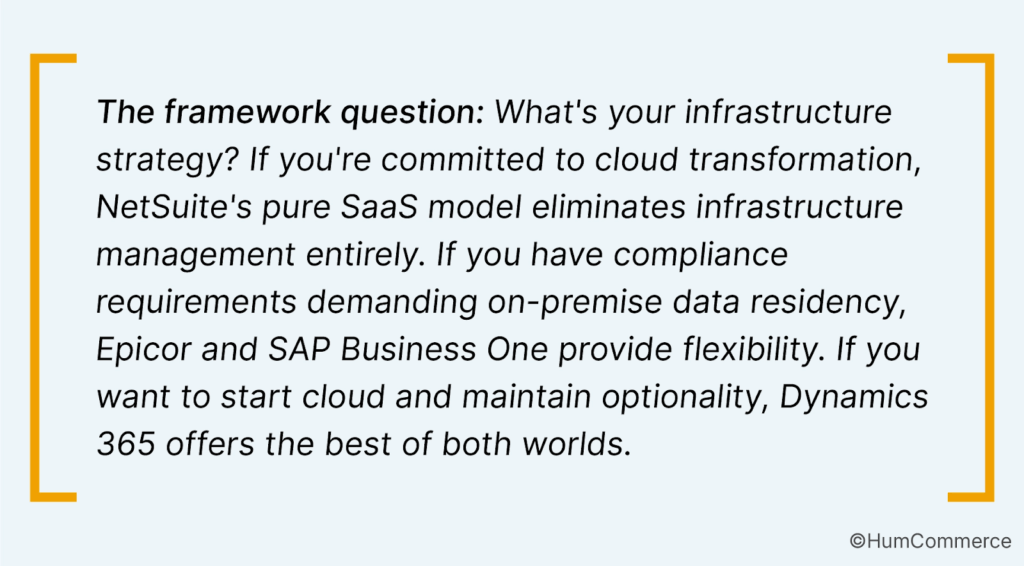
Decision Framework: When To Choose Each Platform
If you want to use NetSuite:
- Operations in more than one country with complicated needs for multiple currencies
- We need a single platform for ERP, CRM, and e-commerce.
- Service or distribution firm with sales of $20 million to $500 million
- The main goal is to have a true SaaS architecture (automatic upgrades, no infrastructure).
- The operations team needs dashboards that work in real time without having to build anything special.
Pick Dynamics 365 Business Central if:
- The people who work for you already use Microsoft 365 (Teams, Outlook, Excel).
- Power BI analytics needed without having to buy a separate license
- Using Copilot to automate processes using AI agents
- Mid-market firm with a moderate level of complexity ($10M–$100M)
- Licensing that can be changed (Team Members pay $8 per month to see just)
Pick SAP Business One If:
- Small to medium-sized business ($5M-$50M) with big business goals
- Full financial management and consolidation of many entities
- Plans for international growth (multi-country, multi-currency from the start)
- Want access to the SAP ecosystem (HANA, Ariba, Concur, and SuccessFactors)
- Perpetual licensing is better than subscription.
Choose Epicor Kinetic If:
- Manufacturing is a core skill, not an afterthought.
- Needed: control of the shop floor, enhanced scheduling, and quality management
- Mixed-mode, discrete manufacturing, or process manufacturing
- Automotive, aerospace, industrial equipment, and fabrication sectors
- Planned growth of $25 million to $500 million or more over 5 to 10 years
Head-to-head scenarios: The comparison you really need
Generic comparison charts that show “yes/no” for features don’t really help you figure things out. Let’s talk about the real comparisons that customers look up:
NetSuite and SAP Business One
The choice: NetSuite costs more ($99–$149 per user per month) than SAP ($47–$91 per user per month), but it has real SaaS architecture with automated updates and no need to manage infrastructure. SAP Business One lets you buy a license that lasts forever and lets you integrate more deeply with other businesses.
If you’re expanding globally, need unified commerce, ERP, and CRM, value automated upgrades, and want to avoid on-premise infrastructure, choose NetSuite over SAP.
If you need deep enterprise financial data, desire a perpetual licensing option, need HANA analytics, and work in regulated industries with complicated compliance, choose SAP Business One over NetSuite.
Dynamics 365 vs. SAP Business One: The Microsoft Ecosystem vs. the Enterprise Pedigree
The choice: the prices are about the same ($80–$110 per user per month for Dynamics 365 and $47–$91 per person per month for SAP), but the ways they connect are very different.
If your employees use Microsoft 365, you need Power Platform integration, you want AI through Copilot, and you like current cloud-native architecture, choose Dynamics 365 over SAP.
If you need more complex financial management, desire access to the SAP ecosystem, need multi-entity complexity, and want a vendor with more than 50 years of experience in business ERP, choose SAP Business One over Dynamics 365.
Epicor vs Dynamics 365: Manufacturing Depth vs. Broad Functionality
The decision point: Epicor costs a lot more ($125 per user each month compared to Dynamics 365’s $80 to $110), but it has manufacturing features that Dynamics 365 can’t match without a lot of customisation.
Choose Epicor over Dynamics 365 if: Manufacturing complexity is your reality (not your side activity), you need shop floor integration, you’re in process/discrete/mixed-mode production, and you operate in automotive/aerospace/industrial sectors.
Choose Dynamics 365 over Epicor if: You have light-to-moderate manufacturing, need broader business functionality (strong CRM, marketing, service), value Microsoft ecosystem integration, and want lower total cost.
SAP Business One vs Epicor: Financial Depth vs. Manufacturing Breadth
The decision point: SAP delivers 71% manufacturing coverage vs. Epicor’s 97%, but offers superior financial management and global capabilities.
Choose SAP Business One over Epicor if: Your competitive advantage is financial management and global operations, not manufacturing innovation; you need multi-entity consolidation and complex transfer pricing; you’re in distribution or light assembly.
Choose Epicor over SAP Business One if: Manufacturing is your core competency; you need advanced scheduling, shop floor control, and quality management; you’re in complex discrete or process manufacturing.
The Implementation Playbook: Avoiding the 94% Regret Rate
Selecting the right ERP is only half the battle. Implementation execution determines whether you become a success story or a cautionary tale. Here’s the playbook that separates the two:
Phase 1: Requirements Definition (Weeks 1-4)
The mistake: Starting vendor demos before defining what success looks like.
The fix: Document your top 50 business processes. Map current pain points to required capabilities. Define “non-negotiables” (must-have) vs. “nice-to-haves.” Establish measurable success criteria (e.g., “reduce order-to-cash cycle from 45 days to 20 days”).
Involve the buying committee early: IT/digital transformation leader, CFO, COO, procurement, operations, end users. Each stakeholder defines their top 10 requirements. Consolidate and prioritize.
Phase 2: Vendor Selection (Weeks 5-12)
The mistake: Selecting based on brand recognition or lowest price.
The fix: Use the decision framework from this guide. Score vendors against your top 50 processes. Conduct hands-on demos with YOUR data, not vendor sample data. Require vendors to demonstrate your three most complex workflows.
Evaluate implementation partners separately from software. Ask for references from companies in your industry, of your size, with similar complexity. Check partner Glassdoor reviews – unhappy consultants deliver poor implementations.
Phase 3: Data Migration Planning (Weeks 13-16)
The mistake: Underestimating data cleansing effort by 300%.
The fix: Conduct data quality audit NOW, not during implementation. Identify master data issues: duplicate customers, inactive SKUs, incorrect pricing, orphaned records. Establish data governance before migration begins.
Budget 20-30% of project timeline for data migration. Assume your legacy data is dirtier than you think. Plan for data validation cycles: migrate sample, validate, fix, repeat.
Phase 4: Change Management (Ongoing, Weeks 1-End)
The mistake: Treating ERP as an IT project rather than business transformation.
The fix: Establish an executive steering committee with CEO or COO sponsorship. Communicate “why we’re changing” before “what we’re changing to”. Create a super-user network: power users from each department who become internal champions.
Budget 15-20% of project cost for structured training. Not one-time training before go-live, but ongoing: pre-go-live overview, hands-on workshops, post-go-live reinforcement, role-based certifications.
Phase 5: Phased Rollout (Implementation Timeline)
The mistake: Big-bang go-live across all modules, all locations, all users simultaneously.
The fix: Phased approach:
- Phase 1: Core financials and single location (3-4 months)
- Phase 2: Operations and inventory management (2-3 months after Phase 1)
- Phase 3: Additional locations or advanced modules (2-3 months after Phase 2)
Each phase includes: design, configure, test, train, go-live, stabilize. Don’t start the next phase until the current phase is stable.
Phase 6: Post-Go-Live Optimization (Months 7-12)
The mistake: Declaring victory at go-live and disbanding project team.
The fix: Plan for 3-6 month stabilization period post-go-live. Maintain hypercare support: daily check-ins, rapid issue resolution, process refinement. Measure against success criteria defined in Phase 1.
Conduct 30/60/90-day retrospectives: what’s working, what’s not, what needs adjustment. Continue training: advanced features, optimization techniques, best practices.
The 2026 ERP Trends That Change Your Calculus
Five years ago, cloud deployment was optional. AI was experimental. API-first architecture was niche. In 2026, these are table stakes. Here’s what’s reshaping ERP vendor selection criteria:
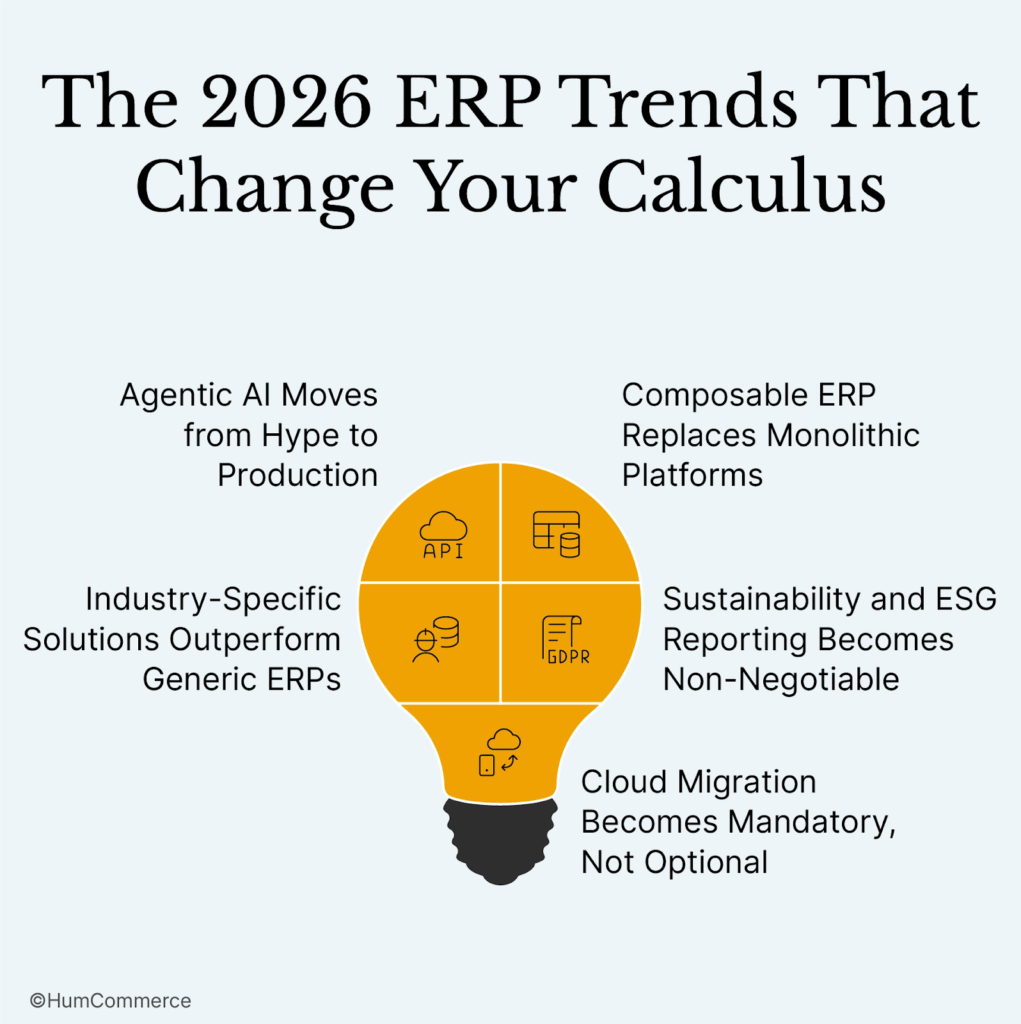
Trend #1: Agentic AI Moves from Hype to Production
What changed: AI integration evolved from “generates reports” to “executes decisions autonomously”.
Epicor Prism AI automatically schedules preventive maintenance and orders replacement parts. Microsoft Copilot categorises expenses as well as it flags anomalies, suggests corrections, and routes for approval. NetSuite’s Prompt Studio creates custom workflows via natural language commands.
Why it matters: Manufacturing ERP systems with mature AI reduce manual decision-making by 40-60%, according to 2025 Gartner research. This isn’t incremental efficiency. This is a fundamental transformation of how operations teams work.
Selection implication: Don’t accept “AI-powered” marketing claims. Demand specific use cases: What decisions does the AI automate? What’s the training data source? What’s the accuracy rate? How does it improve over time?
Trend #2: Composable ERP Replaces Monolithic Platforms
What changed: Best-of-breed integration maturity now matches (or exceeds) single-vendor convenience.
Five years ago, “unified platform” (like NetSuite) meant fewer integration headaches. In 2026, API-first architecture and integration platforms (Mulesoft, Boomi, Celigo) make best-of-breed viable: Use Epicor for manufacturing, Salesforce for CRM, Adobe Commerce for e-commerce, and integrate via modern iPaaS.
Why it matters: You’re no longer locked into vendor bundling. Choose the best system for each function rather than compromising on everything to get single-vendor convenience.
Selection implication: Evaluate API maturity, not just feature lists. RESTful APIs, webhook support, event-driven architecture, and integration marketplace matter more than 1990s-era batch integration.
Trend #3: Solutions that are specific to an industry work better than general ERPs
What changed: Vertical-specific features went from being niche add-ons to being part of the core vendor strategy.
Epicor makes ERP for manufacturing that is made for that purpose, not just a generic ERP with a manufacturing module. To improve its vertical capabilities, SAP bought companies that worked in the pharmaceutical and construction industries. NetSuite made improvements to SuiteSuccess industry templates for manufacturing, distribution, retail, and services.
Why it matters: Generic ERP needs to be changed by 30% to 50% to fit the way things are done in your industry. Industry-specific ERP fits 80% of the time right out of the box, which cuts down on the time and money needed to set it up.
What this means for selection: Ask for industry references. Not “we’ve implemented in manufacturing,” but “we’ve implemented in discrete electronics manufacturing with engineer-to-order workflows and ISO 9001 quality requirements.”
Trend #4: ESG and sustainability reporting become required
What changed: Carbon tracking, ESG metrics, and sustainability reporting went from being nice to have to being required by law.
Epicor Kinetic 2025.2 has built-in carbon cost tracking that works with production processes. SAP Business One improved its modules for following environmental rules. Microsoft Cloud for Sustainability added sustainability reporting to Dynamics 365.
Why it matters: EU rules, California SB 253, and customer sustainability requirements make it necessary for manufacturers to report Scope 1/2/3 emissions. Your ERP needs to keep track of this at the transaction level, not just quarterly when you reconcile your spreadsheets.
Ask specifically about sustainability features, such as carbon accounting, supplier sustainability scoring, product lifecycle environmental impact, and regulatory reporting templates.
Trend #5: Moving to the cloud is no longer a choice
What changed: Vendors said that on-premise versions would no longer be supported.
Epicor ended support for Classic UI in the 2026.1 release, which meant that users had to switch to the cloud-based Kinetic. SAP Business One changed its strategy to focus on the cloud. Microsoft stopped supporting Dynamics NAV on-premises. NetSuite has always been cloud-based.
Why it matters: If you implement on-premise in 2026, you’re buying old technology that will only be supported for 3 to 5 years. Cloud deployment automatically installs updates, security patches, and new features.
If you don’t have a real need (not just a preference) for on-premise, assume cloud deployment. If compliance requires it, look into hybrid options like cloud ERP with on-premise data residency.
Your 90-Day Decision Timeline
Your CFO wants a decision in 90 days. Here’s the realistic timeline that prevents regret:
Days 1–14: Getting Everyone on the Same Page
- Put together a buying committee made up of people from IT, finance, operations, and procurement.
- Write down the top 50 business processes and problems.
- Set clear goals for achievement that can be measured
- Set a budget that includes licensing, implementation, and a backup plan.
Days 15–45: Research the market and make a list of potential vendors
- Use this framework to rate vendors based on what you need.
- Ask 3–4 vendors for demos (not 10; you’ll get tired).
- Make reference calls to companies that are similar to yours.
- Check out implementation partners separately from the software.
Days 46–60: Evaluation in Person
- Ask vendors to show you how YOUR data works with YOUR workflows
- Do the RFP process with specific technical questions.
- Look at the total cost of ownership over a five-year period.
- Check the risk of implementation (the vendor’s track record and the partner’s ability)
Days 61–75: Final Check
- Choose two finalists
- Go to similar implementations in person to see how they work.
- Check that the integration architecture works with YOUR systems landscape.
- Talk about prices and terms of the contract
Days 76–90: Make a choice and get started
- Give the executive team or board your recommendation.
- Get final approval for the budget and the commitment of resources.
- Set up a structure for project governance
- Set a date for the start of implementation
Important: If you can’t stick to this schedule, put off the decision. The number one reason people regret buying an ERP system is because they rushed the decision to achieve an unrealistic deadline.
Where to Go from Here
You have the framework. You have the data. You have the playbook. Now the decision is yours.
If you’re a $50M manufacturer with complex discrete assembly and shop floor integration needs, Epicor Kinetic provides manufacturing depth that prevents customization costs down the road.
If you’re a $100M global distributor with multi-currency operations and unified commerce requirements, NetSuite delivers cloud-native architecture that scales without infrastructure headaches.
If you’re a $30M business deeply embedded in Microsoft 365 with moderate manufacturing complexity, Dynamics 365 Business Central offers ecosystem integration that saves hundreds of implementation hours.
If you’re a $20M SME with enterprise financial needs and international expansion plans, SAP Business One provides enterprise pedigree at mid-market pricing.
There is no “best” ERP. There’s only the right ERP for your business model, your growth trajectory, your technical architecture, and your organizational capacity for change.
Don’t make this decision alone. Download our ERP Vendor Comparison Matrix with detailed scoring across 50+ evaluation criteria specific to manufacturing and distribution environments. Compare NetSuite vs SAP Business One, Dynamics 365 vs SAP Business One, Epicor vs Dynamics 365, and SAP Business One vs Epicor across the dimensions that actually matter: inventory and order management fragmentation, pricing complexity and source of truth, and process automation capabilities.
If you’re implementing ERP and need Adobe Commerce/Magento integration expertise, contact HumCommerce for a consultation. We’ve integrated all four platforms with B2B e-commerce environments and know where the integration landmines hide before you step on them.
The 94% who regret their choice didn’t lack information. They lacked a decision framework. You now have both.
Choose wisely. Implement deliberately. Transform confidently.